
DUPR Challenge Match
If everyone on the court has their DUPR account connected to their Customer Account on the App, when selecting the type of game play on the Kiosk, an option for a DUPR Challenge Match is visible
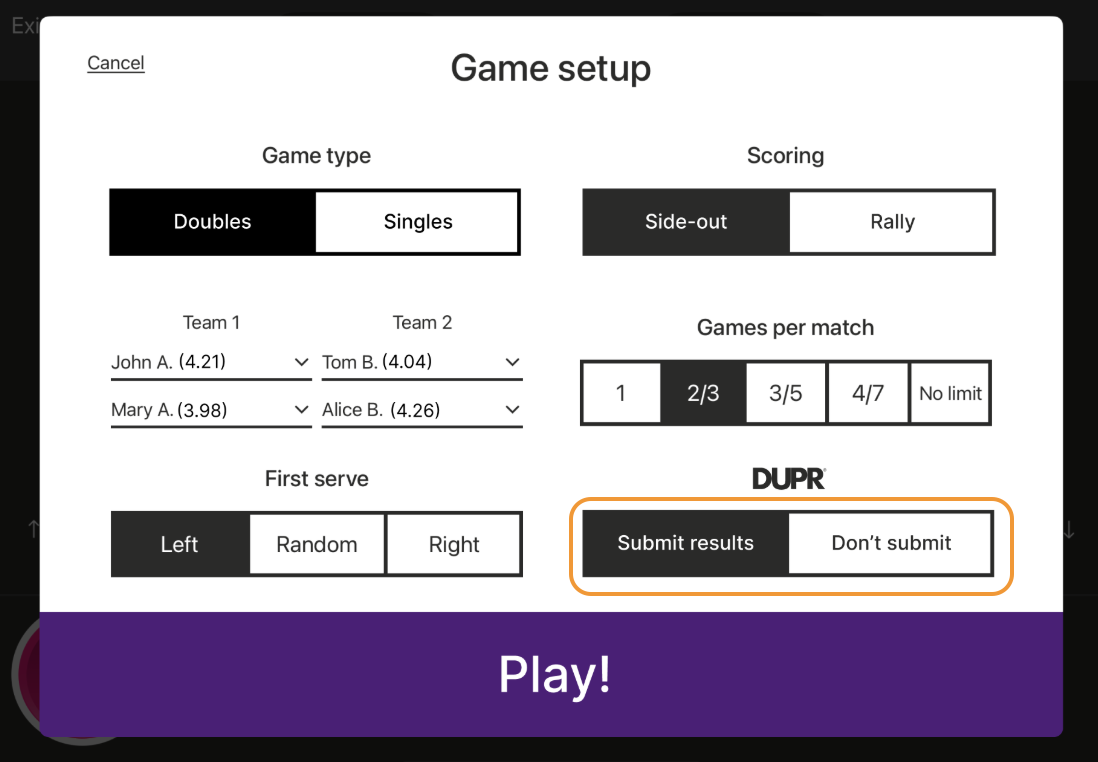
There is an option TO SUBMIT the match results to DUPR, and there is an option to NOT TO SUMBIT the match results to DUPR
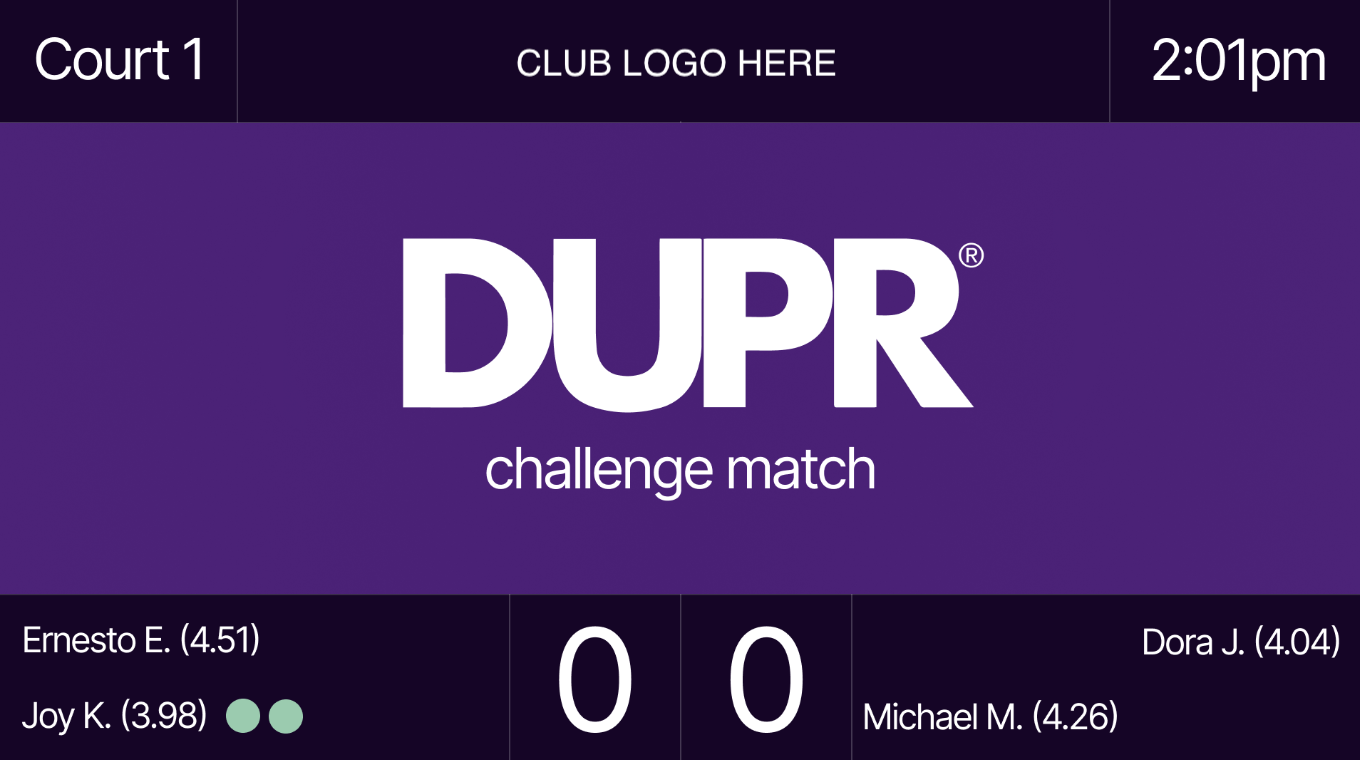
Once the “Submit results” option is selected, the Scoreboard will show that a DUPR Challenge Match is underway
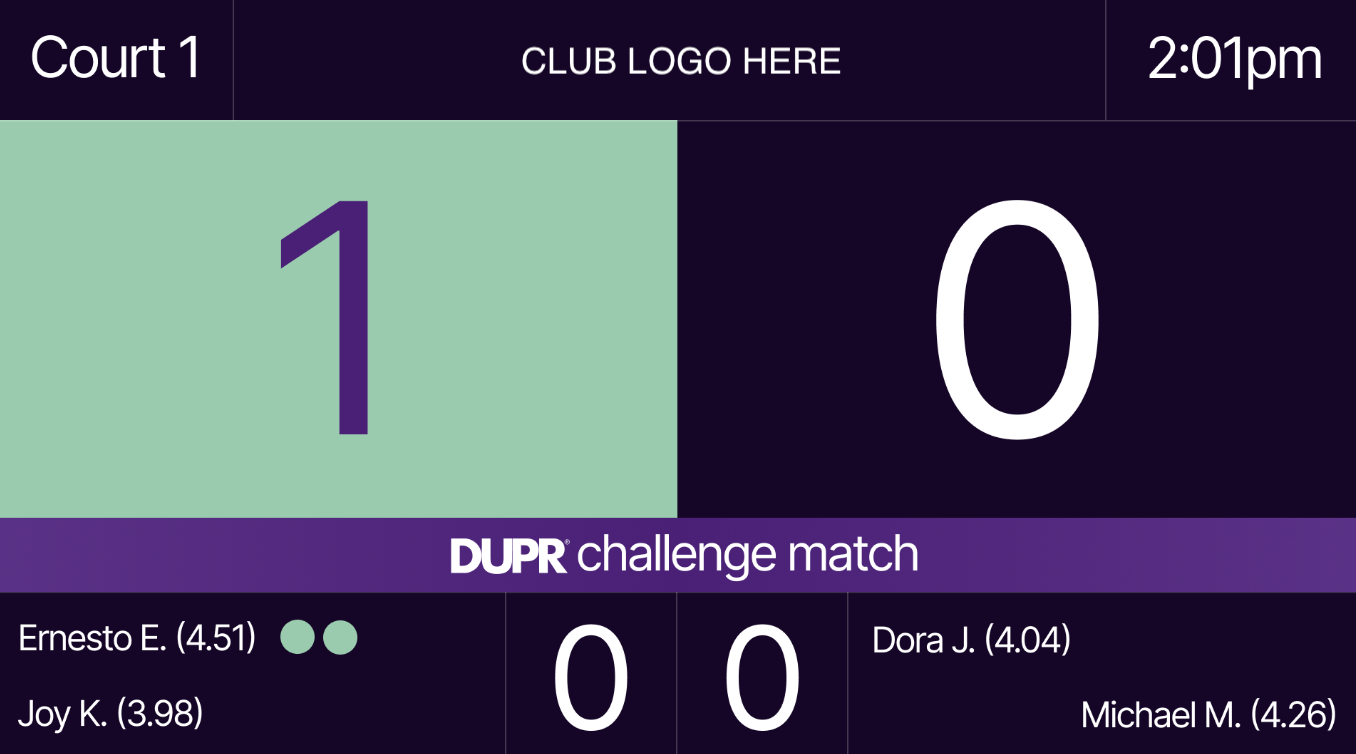
And once the match has started, and throughout the match, there will be a DUPR Challenge Match ribbon on the scoreboard
Once the match is over, the results and points are automatically submitted to DUPR’s system
If the players on the court decide before the match is over that they do not want to submit their scores to DUPR, they can exit the match on the kiosk and the scores will not submit
To learn more, check out the full article introducing the DUPR Challenge Matches by PodPlay