
Charging inside the Shop
Once inside The Shop, an employee at the Front Desk of your Club can add items to the shopping cart and can charge any Customer for said products.
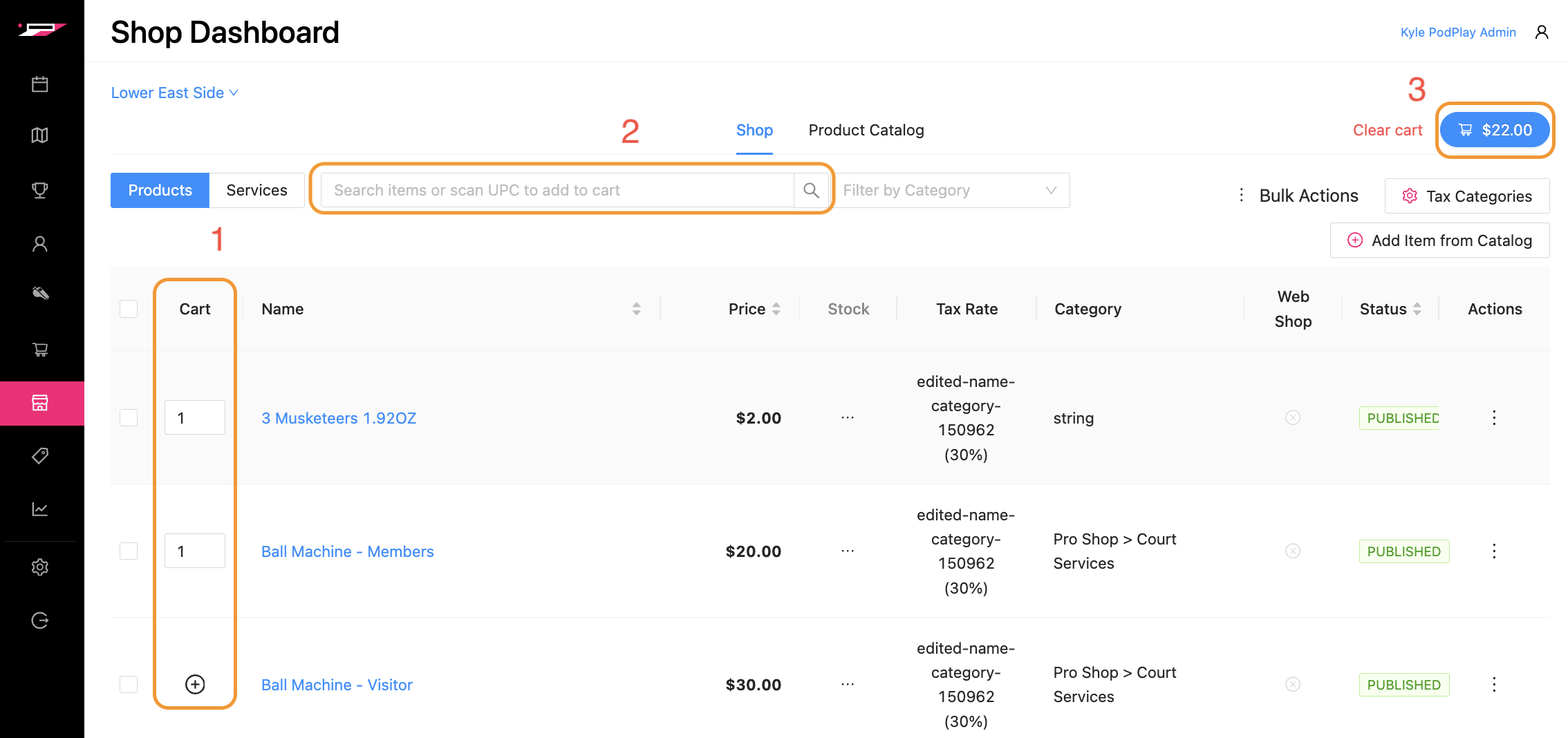
To add products to the shopping cart:
Add Products: Press on the plus sign inside the cirlce on the left side to add a product to the shopping cart (#3)
Search for Products: Type in the name of a Pr
Open Shopping Cart: Click on the blue shopping cart button with a growing value to open the shopping cart
To charge a Customer for products in the shopping cart:
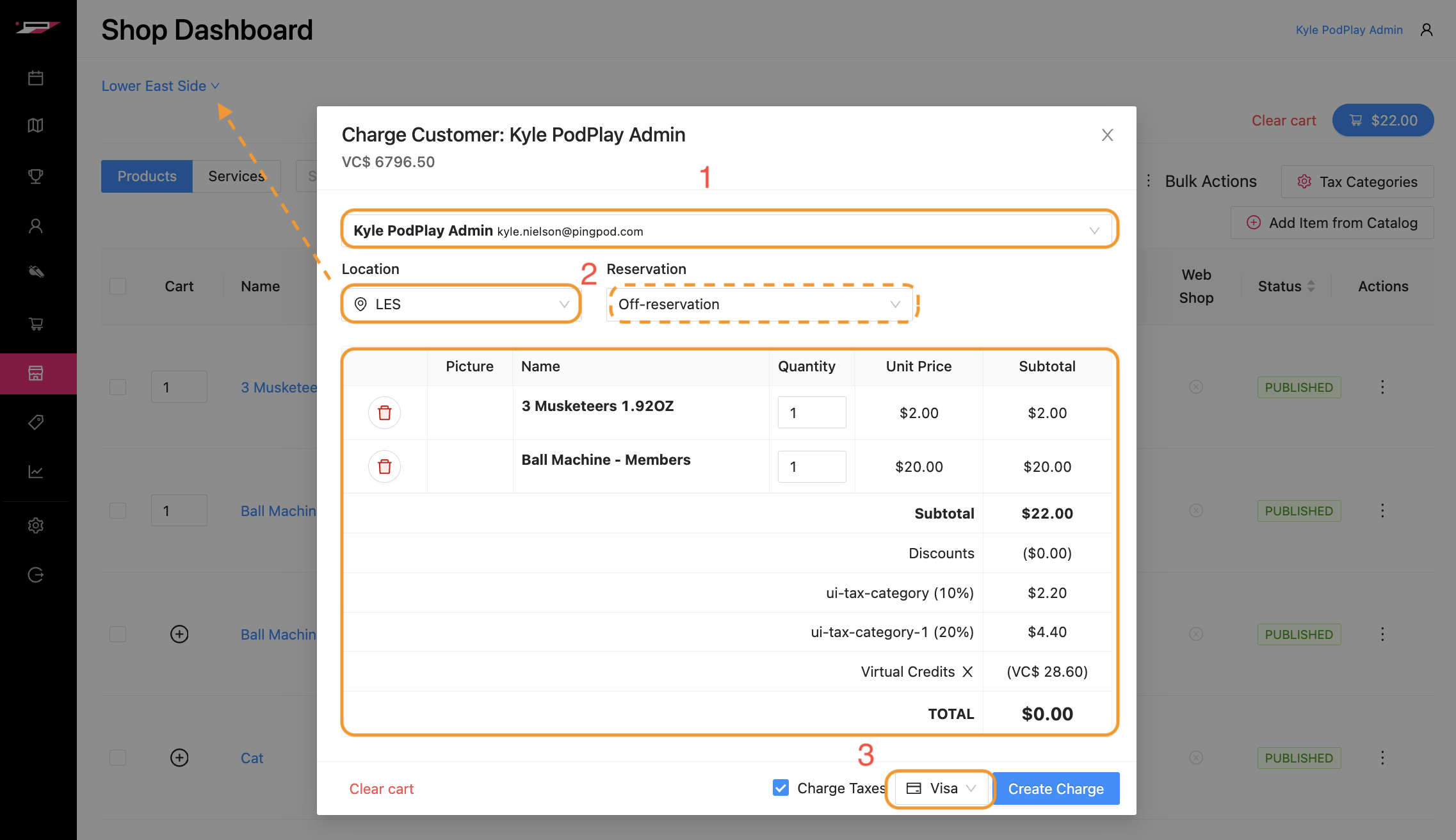
Search for the Customer: Type in the Customer’s name and their Profile will appear in the dropdown box
Confirm the Location and Reservation: Notice the Location is directly connected to the Location of the Shop Dashboard you are reviewing and notice the Reservation will either auto-populate with the Event or Reservation for which the Customer is attending that day or that it is “Off-Reservation” if the Customer has not signed up for anything that day
Review the Cart: Verify the items in the cart are the products the Customer wants to purchase, that the taxes are correctly attributed, the charging option is correct, and click on the blue “Create Charge” button to immediately charge the Customer for their shopping cart
Once a customer is charged for their shopping cart:
The shopping cart pop-up window will close
A small confirmation window in the top right will appear to verify the charge is complete