
Customer had a payment issue when signing up for an Event
If a Customer has signed up for and secured a spot at an Event, they will be marked as a participant for that Event.
If there is an issue during sign-up, the Customer will receive an error message about their credit card (cc) and will be asked to update their cc information. Once the Customer has updated their cc information, they can attempt to sign up again and secure their participation in the Event.
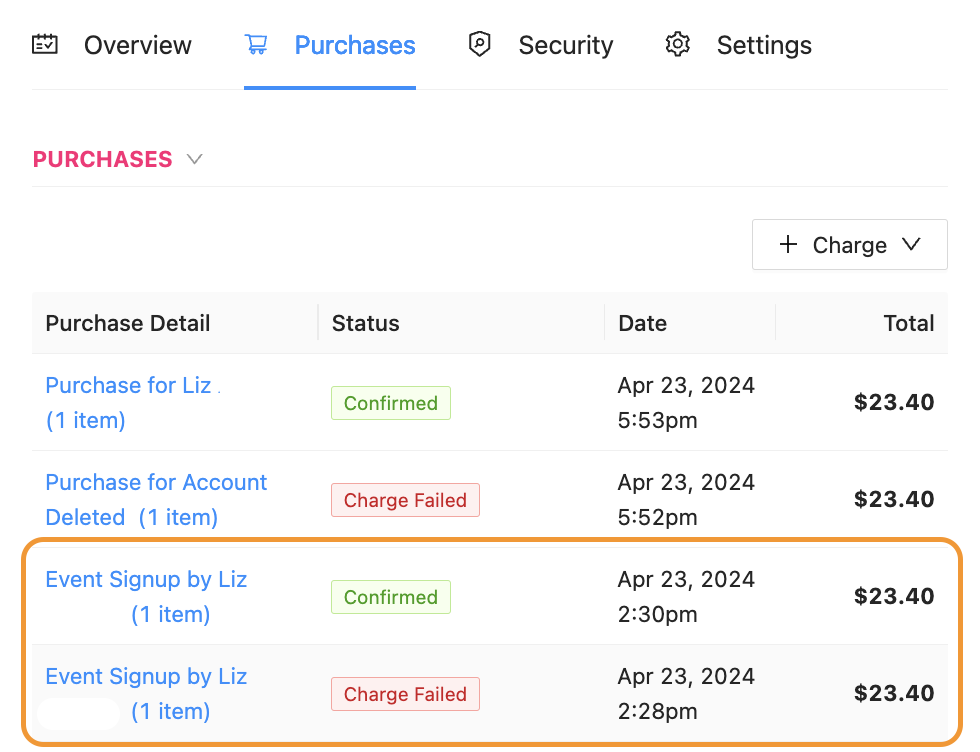
If there is an issue after sign-up, an Admin will see a tag labeled Charge Failed in the Event’s Purchase tab.
If an Admin notices this, please note that the Customer is also aware the signup failed, as the Customer is provided an error message in the front of the App.
Normally, a Customer will update their cc on file and try again, so the Purchase tab of the Event will look like a Customer had a Charge Failed, then Confirmed (or Settling in x-time if the Event has yet to finish).
If the Customer has a Canceled tag next to their name, the Customer signed up for the Event and then canceled their participation in the Event. That spot be free for another Customer to join the Event.