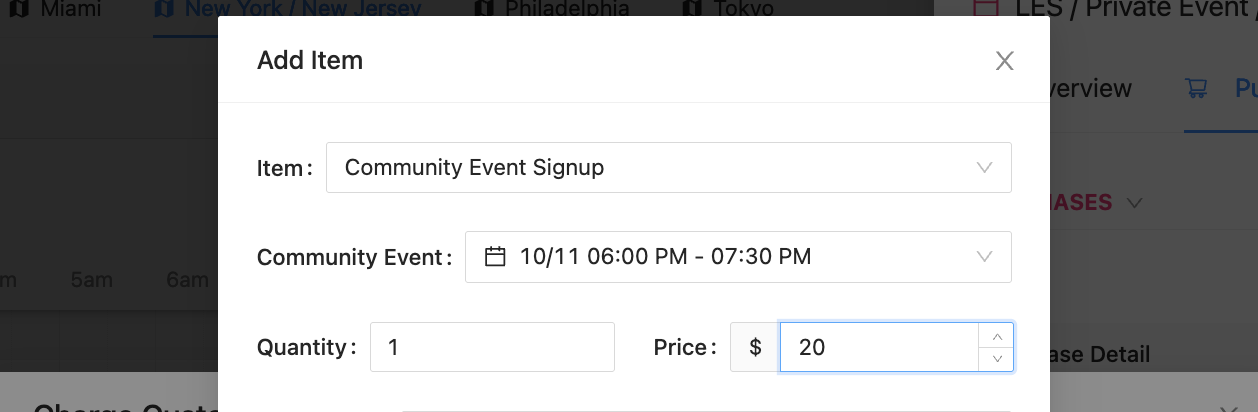
Event and Series Non-participants
Spectators are Customers who are in an Event (or Series) and are not part of the Customers playing in the Event. A spectator can be added to any Event by being added to the Attendee List as a Non-participant.
In an Event
To add a Customer as a Non-participant to an Event:
Open the Event
Click the “Add” button in the Attendees section of the Event
Type in the Customer’s full name
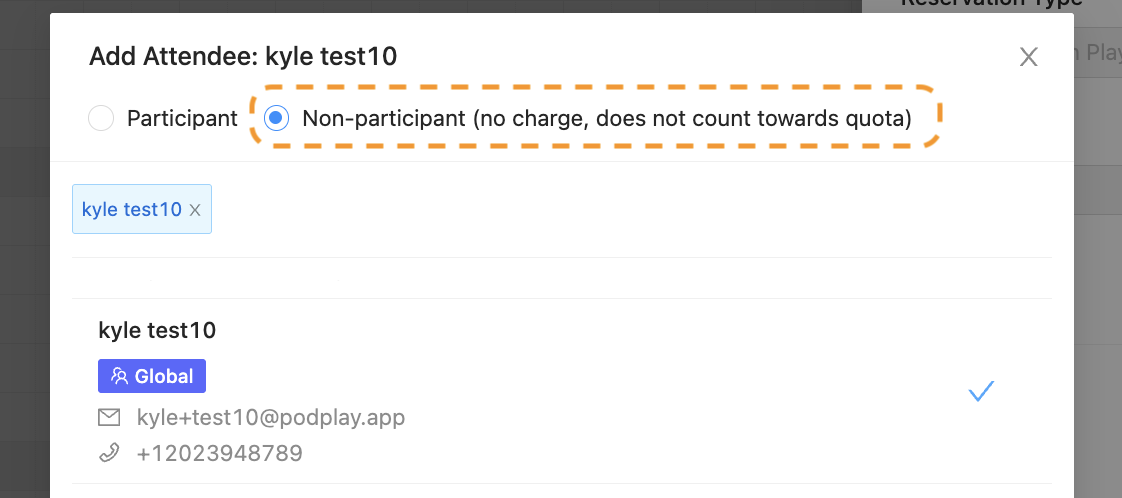
Select Non-participant at the top
Check the box to the right of the Customer’s name
Notice the box turns into a checkmark
Click the Add button at the bottom
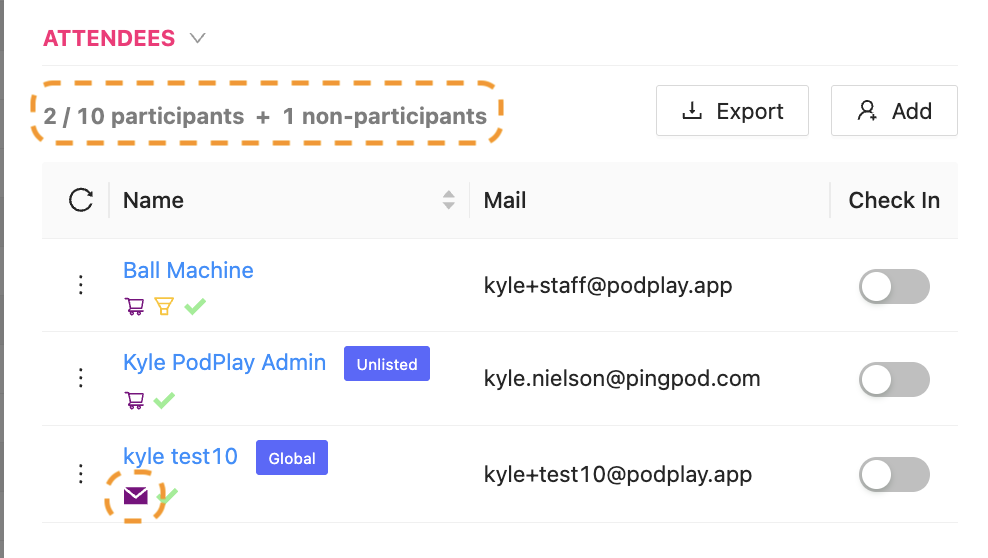
Now the Customer will show up in the Attendee section as a “… + 1 non-participants” and there will also be an envelope icon below their name. If an Admin hovers of this icon, it will say “Customer was added as non-participant.”
In a Series
Normally, when Customers sign up for a Series, or when added by an Admin, the Customer will be added to all Event session within a Series. This is not the case with the Non-participant.
When adding a Non-participant to a Series, the Customer added WILL NOT be propagated across all Event sessions in the Series. This means, by adding a Customer as a Non-participant, there’s also a way to add a Customer to a single Event session within a Series.
The process of adding a Non-participant to a Series is to:
Open the Series
Click the “Add” button in the Attendees section of the Event
Type in the Customer’s full name
Select Non-participant at the top
Check the box to the right of the Customer’s name
Notice the box turns into a checkmark
Click the Add button at the bottom
Now the Customer will be added ONLY to that Event session of the Series.
Adding a Customer as a Non-participant to a Series is also how an Admin can add a Customer and charge them within the Event session of a Series. Meaning, once the Customer has been added to an Event session of a Series, their name will be available to charge in the Purchase tab of the Event.
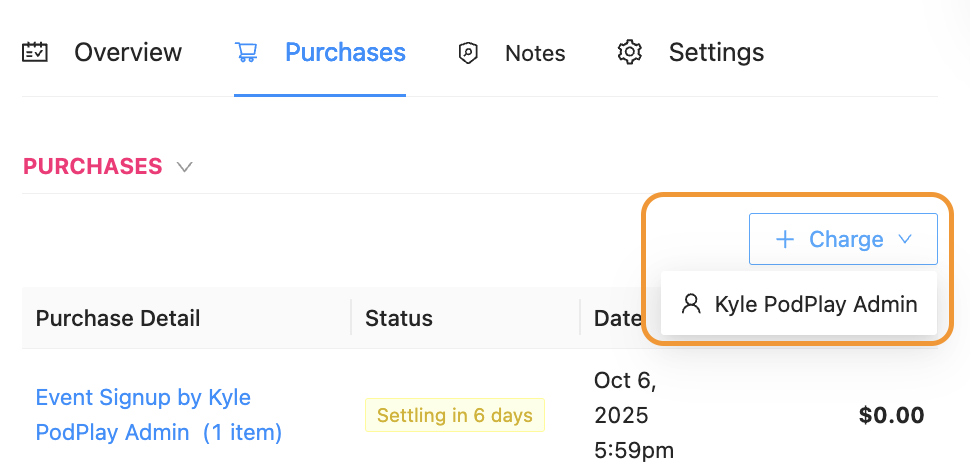
An Admin can then charge the Customer for a single Event signup for the Series.