
The Customers created Replays and never received them. What happened?
If a Customer is asking about Replays from a recent Reservation or Event, the first course of action is always to look back at the Dashboard and review the Purchases tab of the Reservation or Event
Inside the Purchases tab, an Admin will see all of the Replays purchased during that Reservation or Event
When reviewing the Purchase tab of the side panel, if the
Replay has the flag Draft
This means the system failed to generate the Replay, and there is no Replay available for an Admin to locate in the Purchase tab of the side panel

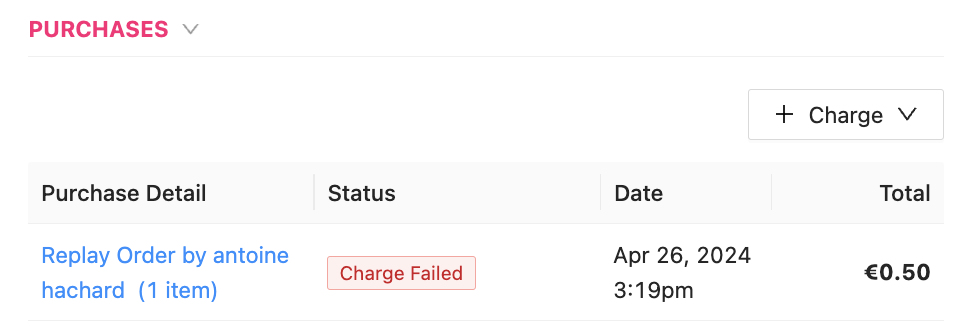
Replay has the flag Charge Failed
This means the system could not charge the Customer’s credit card on file, though the Replay will be visible in the below section of the Purchase tab of the side panel
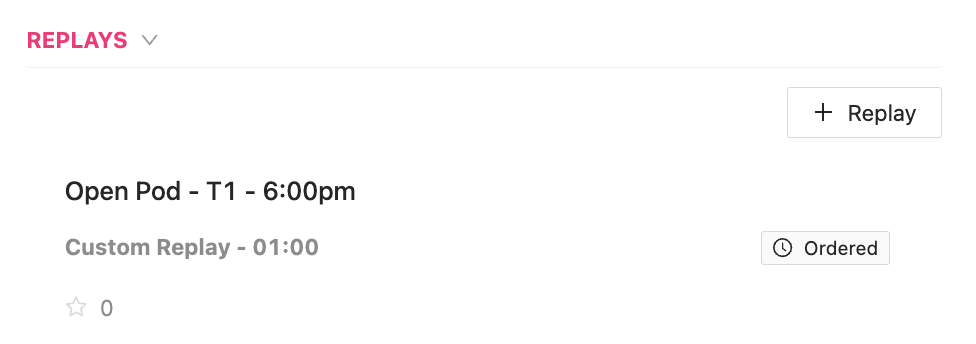
An Admin can also look to the Replays section, beneath the Purchases section, which is also inside the Purchases tab of the Reservation or Event
If there is a Replay that has an Ordered flag, the Replay is being processed by the system and will soon become available
If the Status of the Replay order does not change from Draft to Confirmed, there may have been an issue, like
The internet connection in the club during the time when the Replay was captured was not working
The wiring of the Replay Camera on the court is not solid
The system had a glitch and did not capture the Replay
If any of these situations have occurred, please contact your PodPlay CSM for assistance or review