FAQs about Community Chat
What is the group size limit per DM?
The DM groups are limited to 20 people when a Customer creates the group. Moderators can create a DM group chat larger than 20 people, up to 50. There is no limit to a channel.
Why is there a group size limit?
A group size limit is added to restrict Customers from creating massive groups and messaging everyone without oversight. The group size limit creates a blocker for bad actors, should they want to message a large quantity of people at one time, thus creating an invisible **channel, without your Club’s knowledge.
Can I create a hidden/private channel?
Yes, a Moderator can create a hidden channel. To create the private channel:
Click on the gear icon on the left side panel, to the right of “CHANNELS”
Click on the “New Channel” button in the top right
Fill in the Channel name and Channel slug (optional)
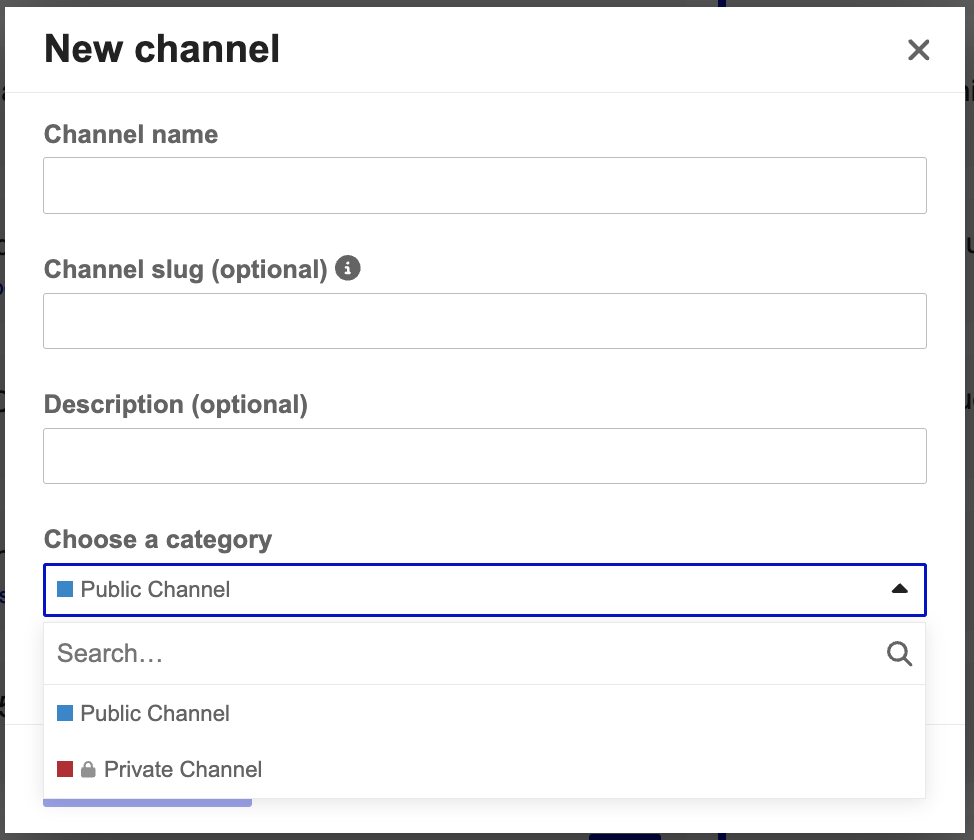
Choose the Private Channel option in the Choose a category dropdown bar
Tap the “Create channel” button
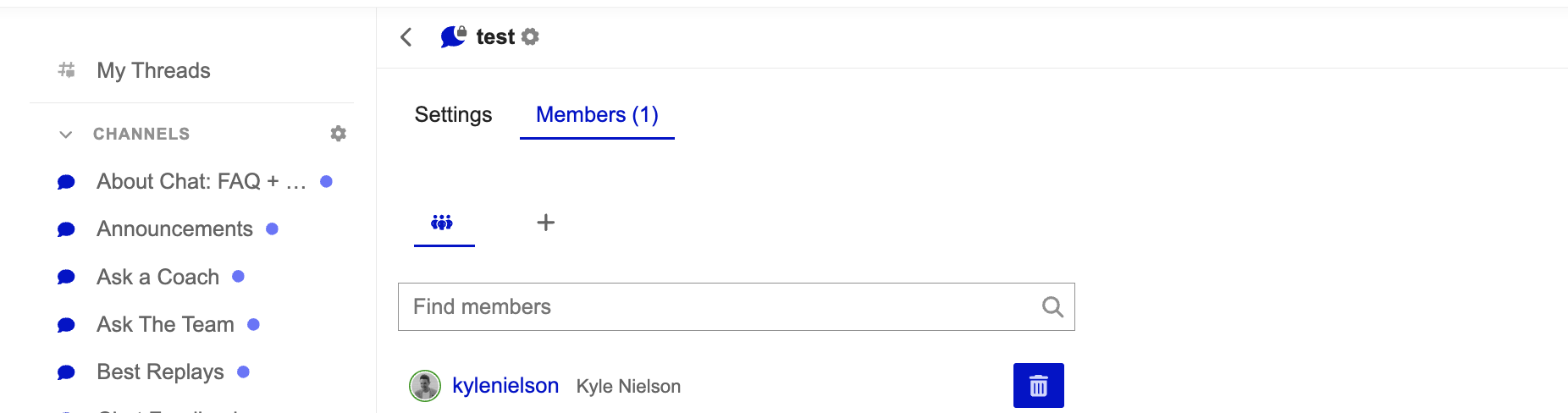
Now that a private channel has been created, you can click on the gear icon at the top of the open channel and select the Members tab. In this area, you can search and add Customers to the channel without other Customers finding the channel and joining without permission.