
Coach wasn’t paid for an Event or Reservation
A few scenarios can lead to a Coach not receiving payment for a Reservation:
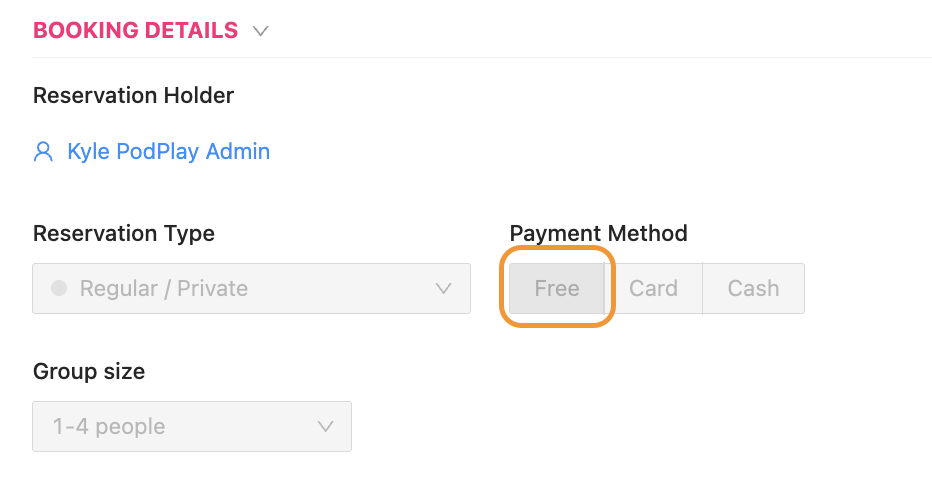
FREE Reservation
If an Admin creates a free Reservation for a Customer and adds the Coach, they will not receive payment.
The reason why the Coach does not receive payment for working a Free Reservation is because the system presumes the Admin knows what is best, and if the Reservation is free of charge, the Coach is free of charge
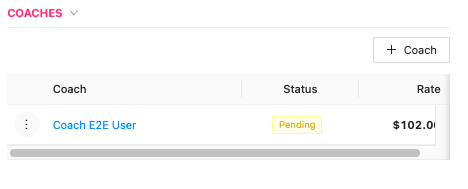
Coach DOESN’T Accept
If the Coach does not accept the Customer’s Reservation/Event email invite and their acceptance in the Reservation or Event is Pending, they will not receive payment.
While an Admin can accept the Reservation or Event for the Coach, it is the Coach’s responsibility to accept the invitation to the Customer’s Reservation or Event
Coach Added AFTER Event/Reservation Ends
If a Coach is added to a Reservation after it has already been booked, there isn’t a hold on the Customer’s credit card for the Coach rate, and the Coach will not be paid. You can still pay a Coach when this happens by Charging the Customer and Sending the Coach an ad-hoc Payment.
As a general rule, when the Status of a Coach payment on the Purchase tab of a Reservation or Event is Pending, they will not receive payment.

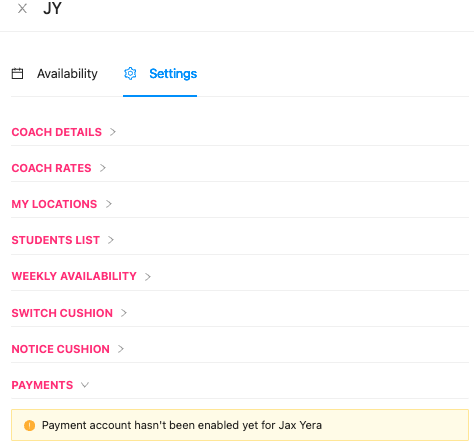
Coach DOESN’T Set Up Payments
If the Coach has not set up their payment account in Coaching Settings, they will not be paid. Please note that the revenue for any Coaching lessons (Reservations) will be directed to the Club’s Stripe Express account instead, if the Coach has not yet created a payment account.
It is always recommended that the Coach set up their payment details on their Coaching Profile and that a Customer books their Reservations on their own and the Coach accepts the Coaching request in order to receive payment
Note for PodPlay's International Clients: Coaches are not paid through the PodPlay system if the Club is located outside of the U.S. The reason for this is that paying a Coach through the system would require a cross-border transfer, resulting in a currency exchange. Coaches at Clubs located outside of the U.S. should still be added properly to all Events and Coaching lessons, then the Club pays the Coach outside of the system. Clubs can easily manage how much a Coach needs to be paid using the Export button on the Coach page in the Dashboard. Data included inside the exported CSV includes:
A list of all private lessons, clinics, and other activities each Coach taught
How much money was listed on the Coach's rate during each lesson, clinic, or event
This CSV provides a clear, organized summary of Coach compensation.