
Circular Sign-up/Sign in Error
PLEASE NOTE: This issue is resolved by changing the Sign-up/Sign-in email from Magic Link to a One-Time Password (OTP). If you would like to update your environment, please reach out to your PodPlay CSM.
When a Customer wants to Sign-up or Sign in to your Club’s app, they will need to enter the email address associated with their Profile
To learn more about entering in the email address, read Creating a Customer Profile
If the Customer enters their email address, receives the system email to Sign-up/Sign in, clicks on the button inside the email, and it appears the system is asking them to Sign-up/Sign in again, they are likely stuck in a circular error
This error is a result of the email application on the Customer’s phone
Meaning, the Customer’s email application (Gmail, Outlook, Mail, etc.) will open a browser INSIDE the email application, rather than opening the browser application on the Customer’s phone
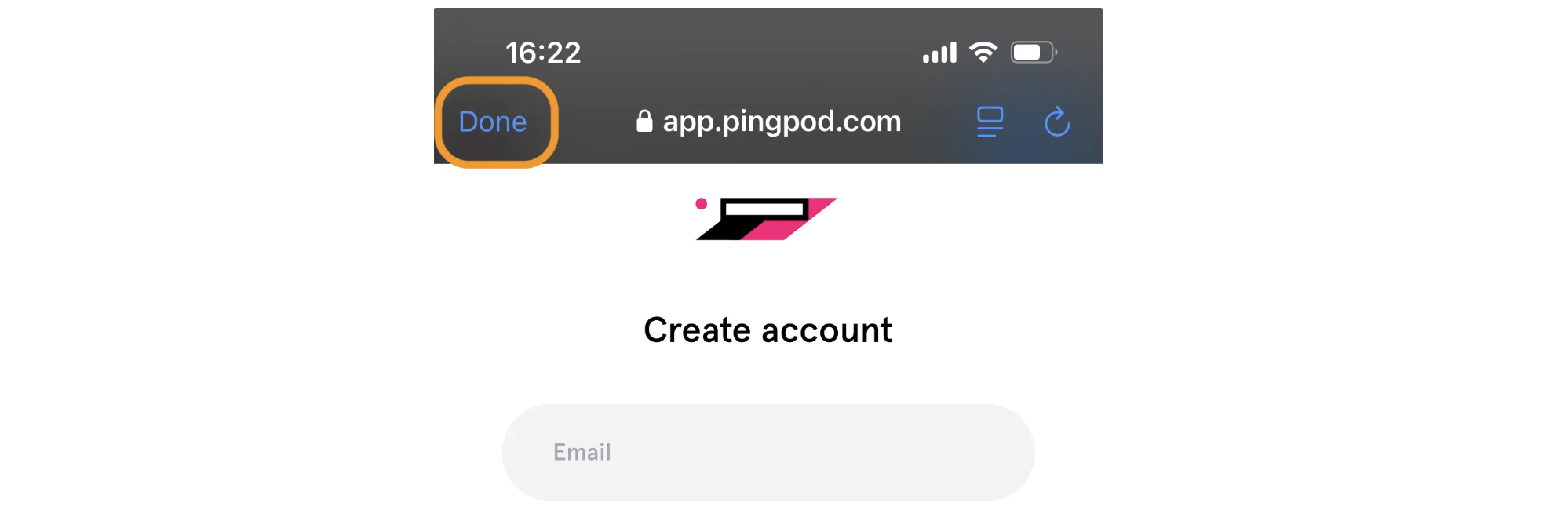
An Admin (or a Customer) can notice if this error is happening by looking at the top of the phone’s screen, where there might be a “Done” or “Back” button available for the Customer to click
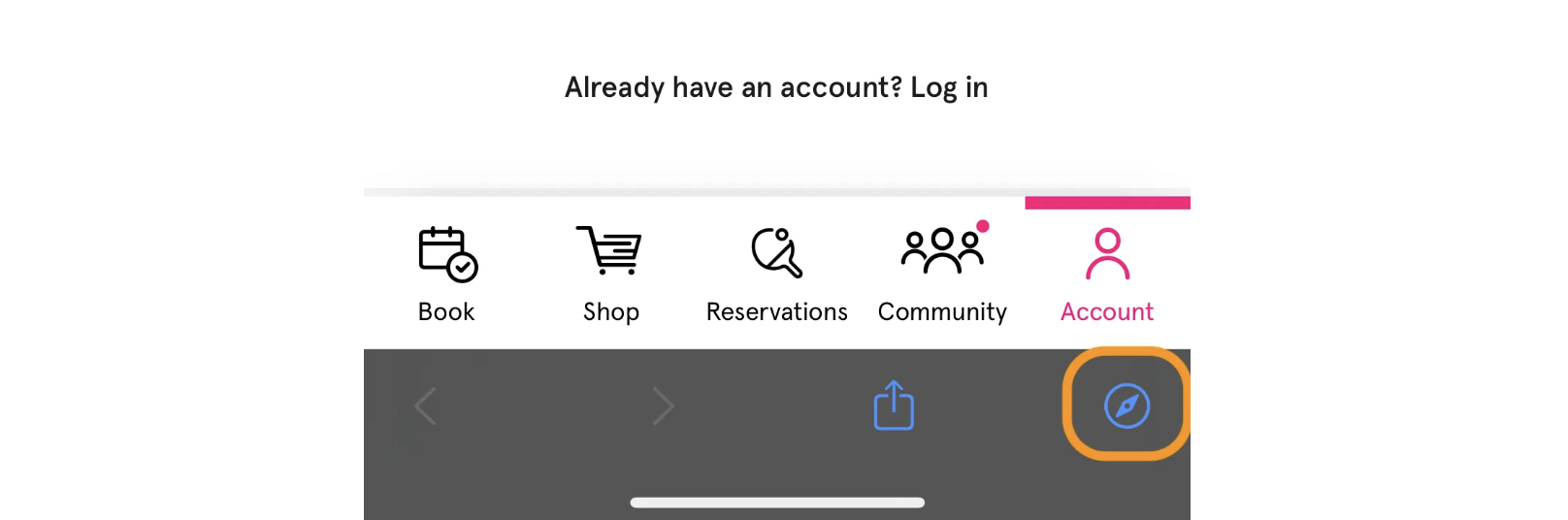
Or by looking at the bottom of the phone’s screen, where there will be an icon to open a browser like Safari or Chrome (the icon in this example is Safari)
The way to escape the circular sign-up error is to hold down a finger on the SIGN UP button inside the system email
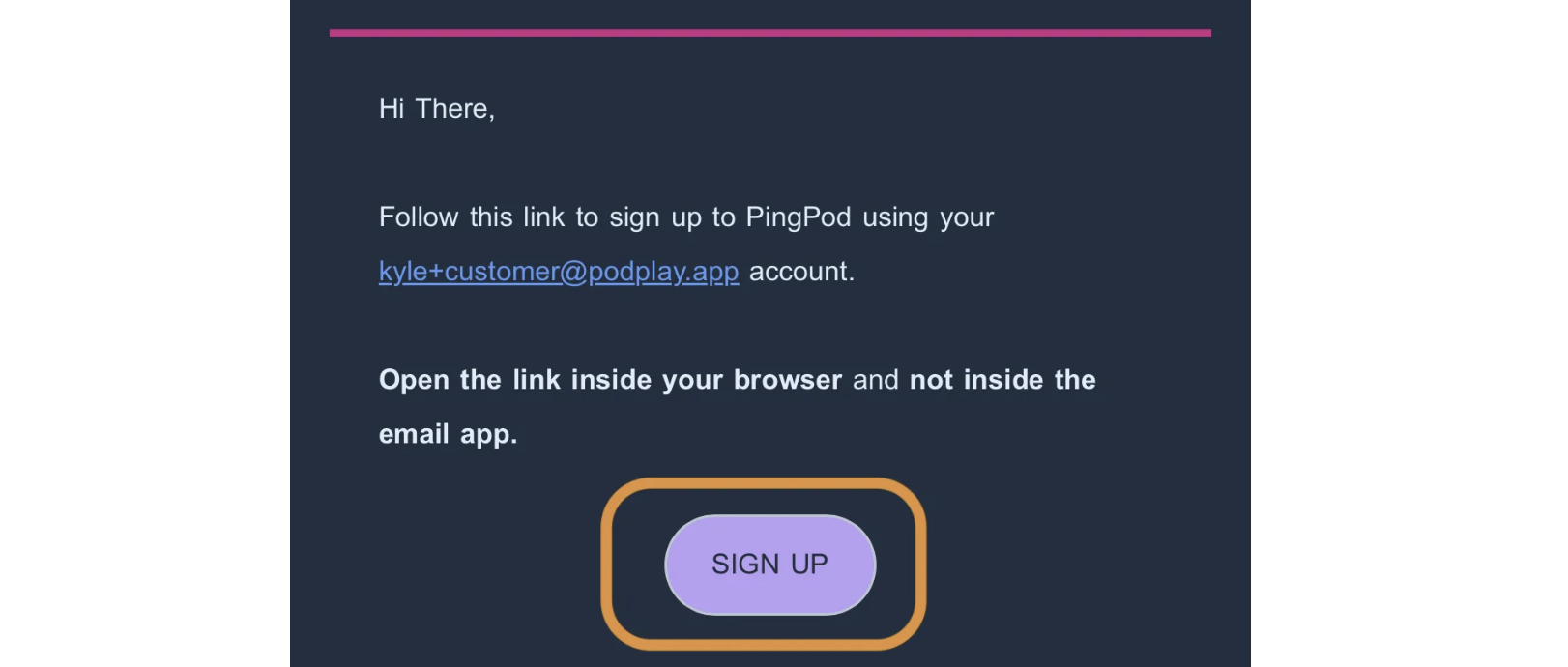
And to click on the “Copy Link” button, then paste that link inside the Customer’s preferred browser

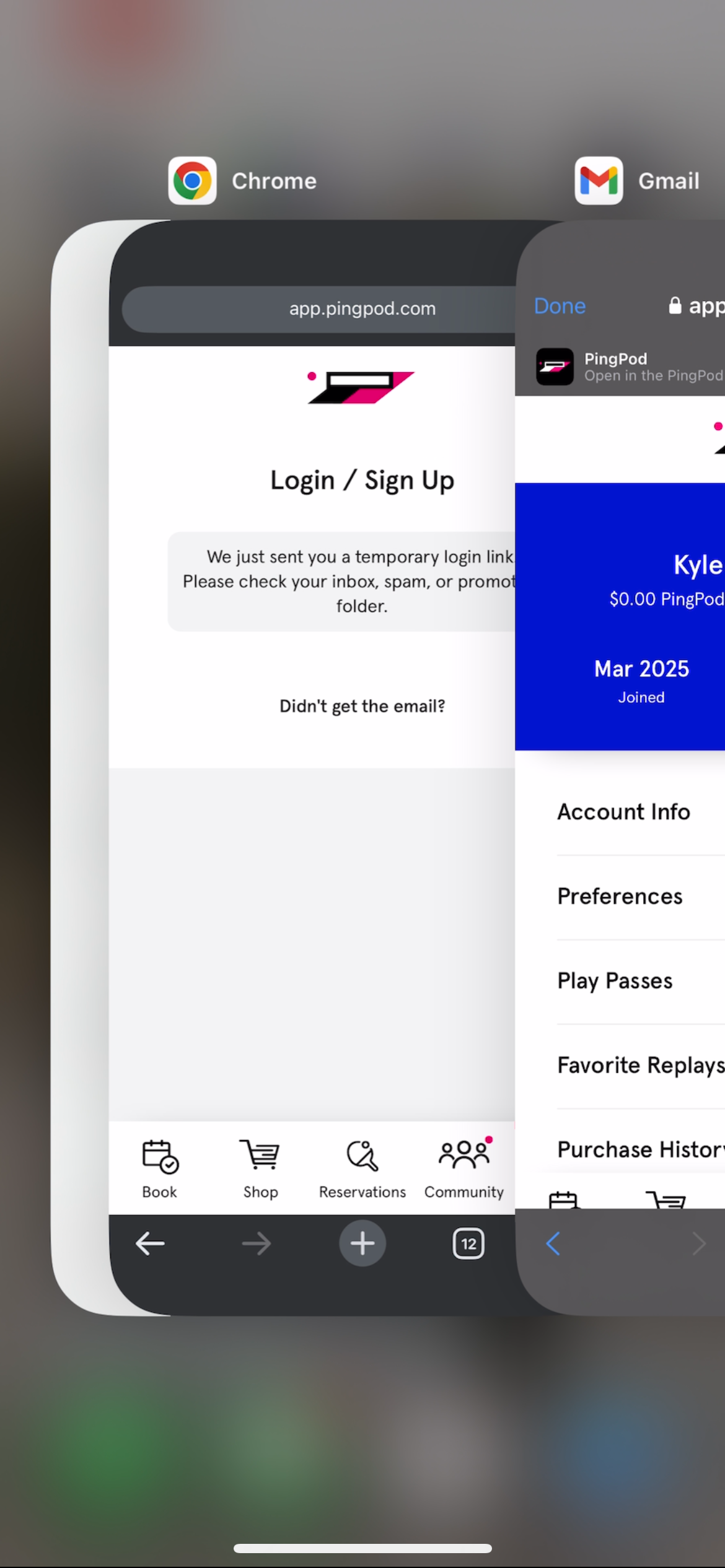
Another easy way to notice if the Customer is stuck in the circular sign-up error is to review the different applications open on the phone
Notice the below screenshot, where the Customer is clearly signed into the system on their Gmail application and not on Chrome, a browser application, where the Customer needs to be signed in
Below is a video of the circular error happening in a screen recording for reference.