
Reverse a Coach Payment
A Coach is paid in the PodPlay system for a lesson in two ways:
By the Customer during a private Reservation lesson
By the Club during a Clinic
To learn more, read about the Payment Process for Coaches
A Coach can also receive a payment through an ad-hoc transfer at any time
To learn more, read about Paying a Coach Ad-hoc
If the Club wants to reverse a payment to a Coach, they can:
Open the Reservation or Event where the Coach worked
Click the Purchase tab
Open the specific payment details for the Coach payment
Scroll down to the Transfers drawer
Open the Transfers drawer if it is closed
Click on the three vertical dots
Click on the button Reverse
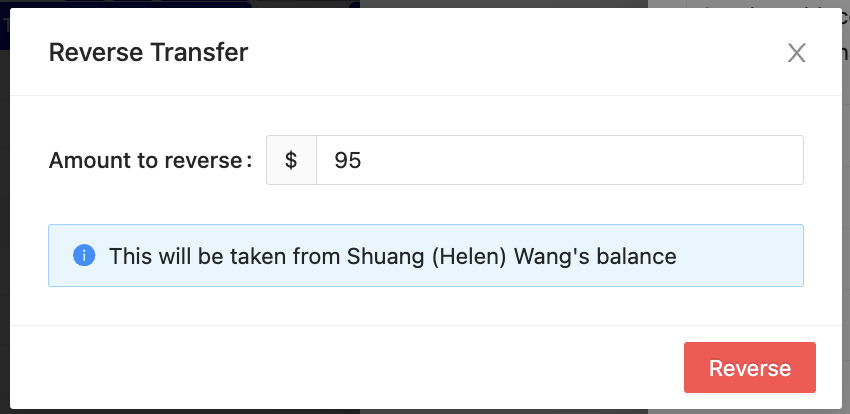
Select a value amount to reverse in the pop-up window
Click the red Reverse button
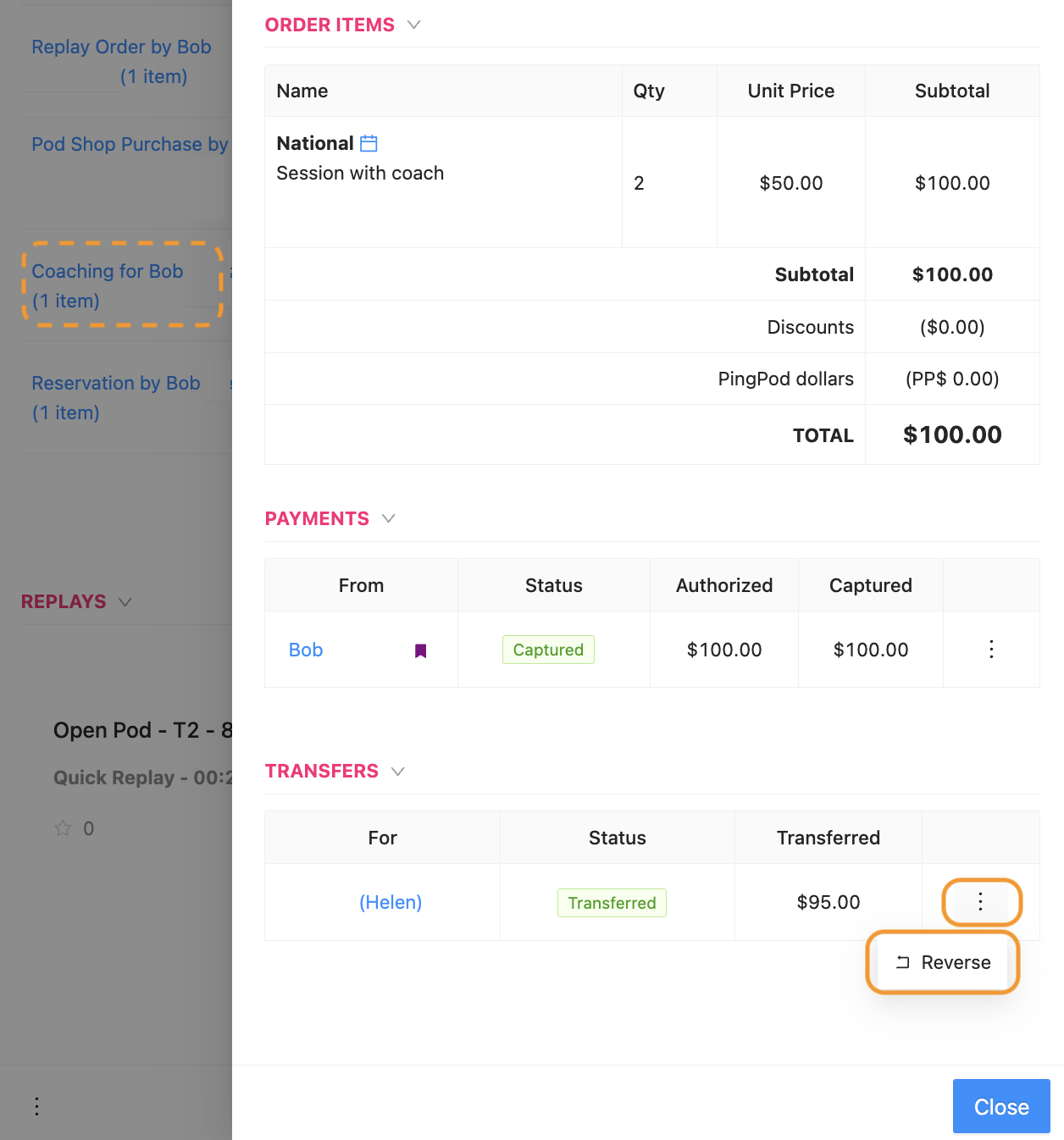
Below is a picture of how to:
Click into the payment details (dotted line)
Click on the three vertical dots in the Transfer drawer
Click on the Reverse button
When the pop-up window appears, this is where an Admin can select how much to reverse
Note for PodPlay's International Clients: Coaches are not paid through the PodPlay system if the Club is located outside of the U.S. The reason for this is that paying a Coach through the system would require a cross-border transfer, resulting in a currency exchange. Coaches at Clubs located outside of the U.S. should still be added properly to all Events and Coaching lessons, then the Club pays the Coach outside of the system. Clubs can easily manage how much a Coach needs to be paid using the Export button on the Coach page in the Dashboard. Data included inside the exported CSV includes:
A list of all private lessons, clinics, and other activities each Coach taught
How much money was listed on the Coach's rate during each lesson, clinic, or event
This CSV provides a clear, organized summary of Coach compensation.