
Add a Kid sub-Profile
If your Club has a lot of kids coming in to the Club, you can ask your CSM to turn on the Kids Feature. This feature allows a Customer to create a sub-Profile, within their Profile, so the Customer can sign their kid up for Kids Only Events.
NOTE: this feature is mainly used for after-school activities, summer camps, or holiday camps.
Customer Adds a Kid sub-Profile
For a Customer to add a kid to their Profile, they would:
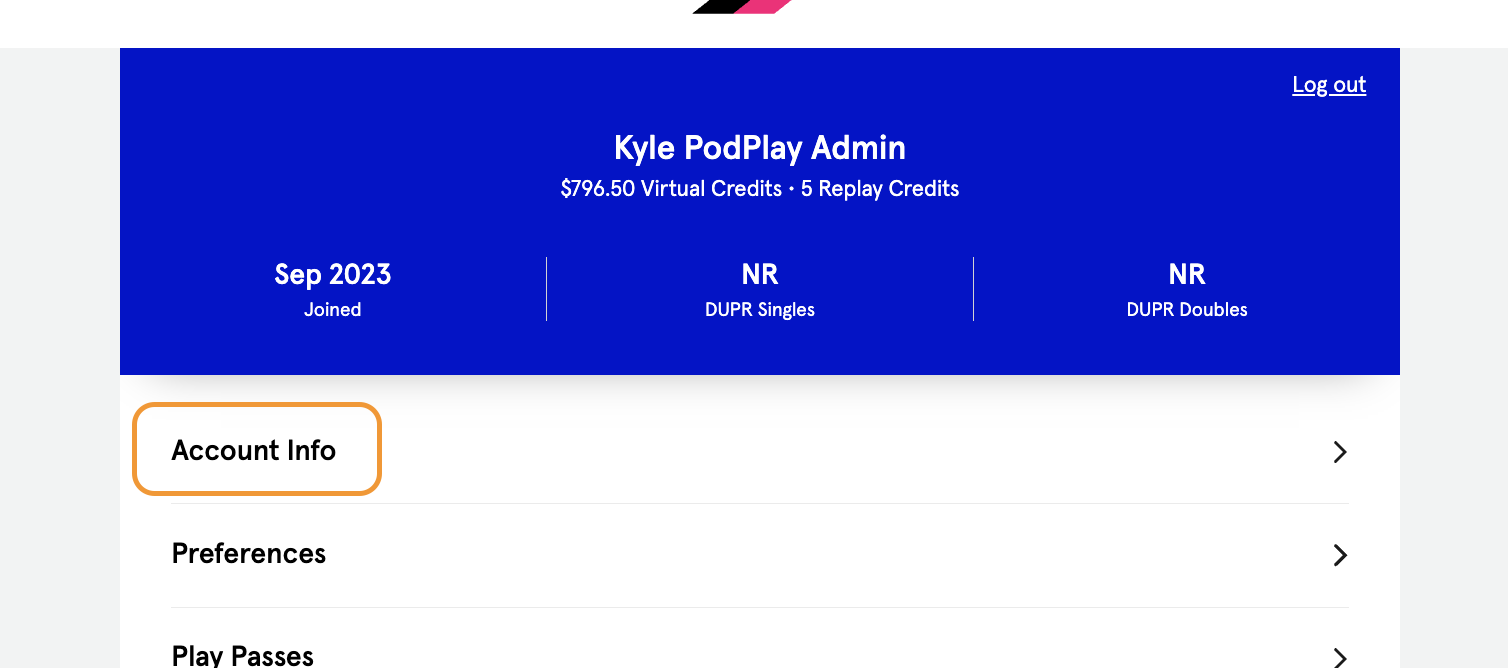
Click on the Account Info button in the Account tab
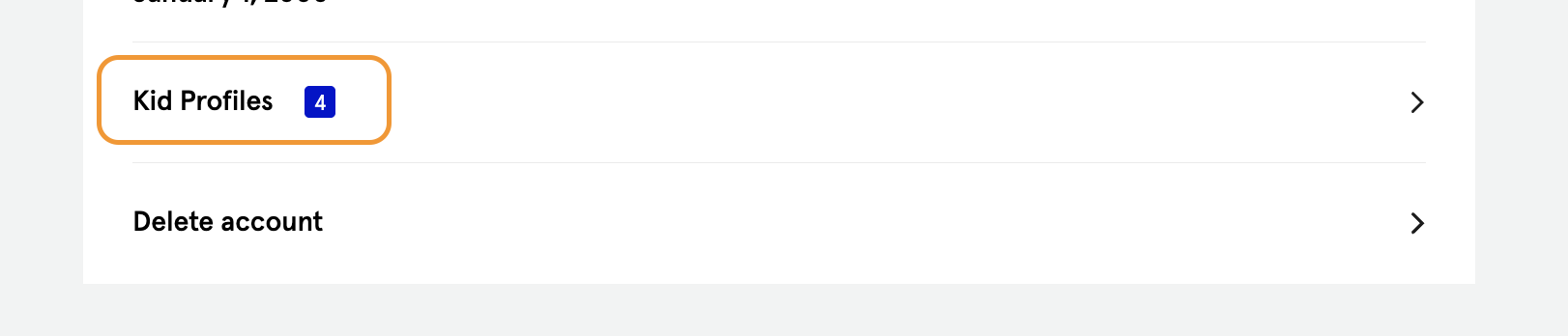
Click on Kid Profiles
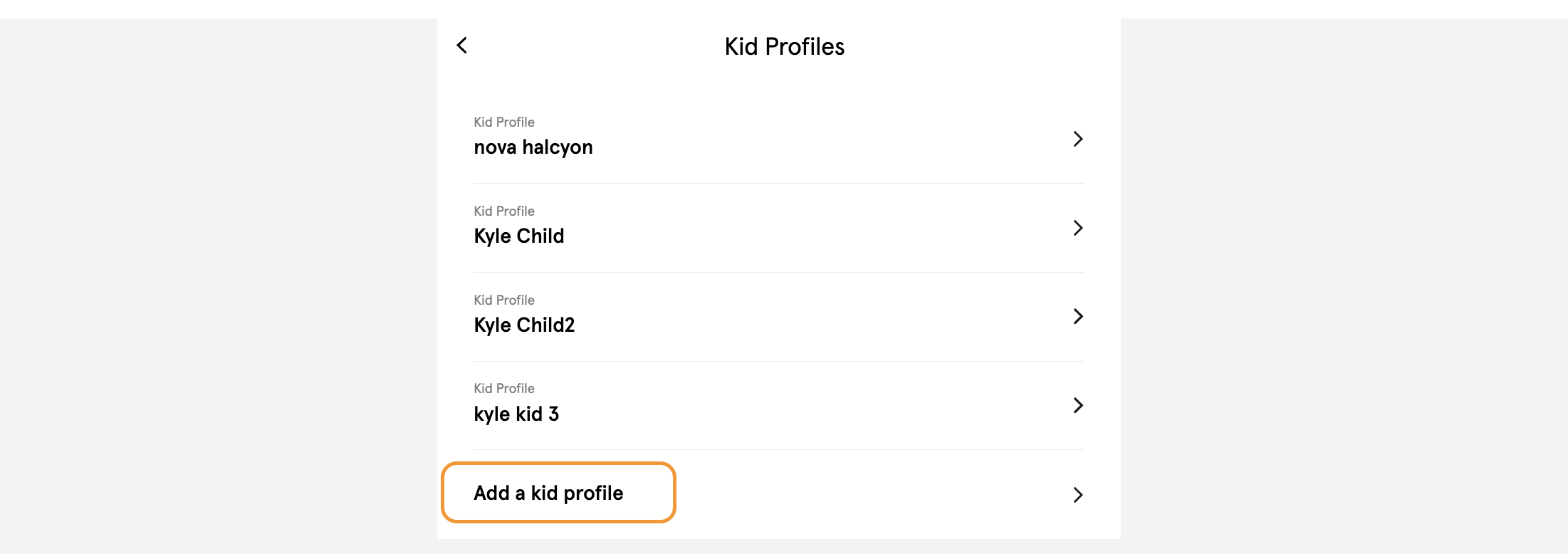
Click on “Add a kid profile”
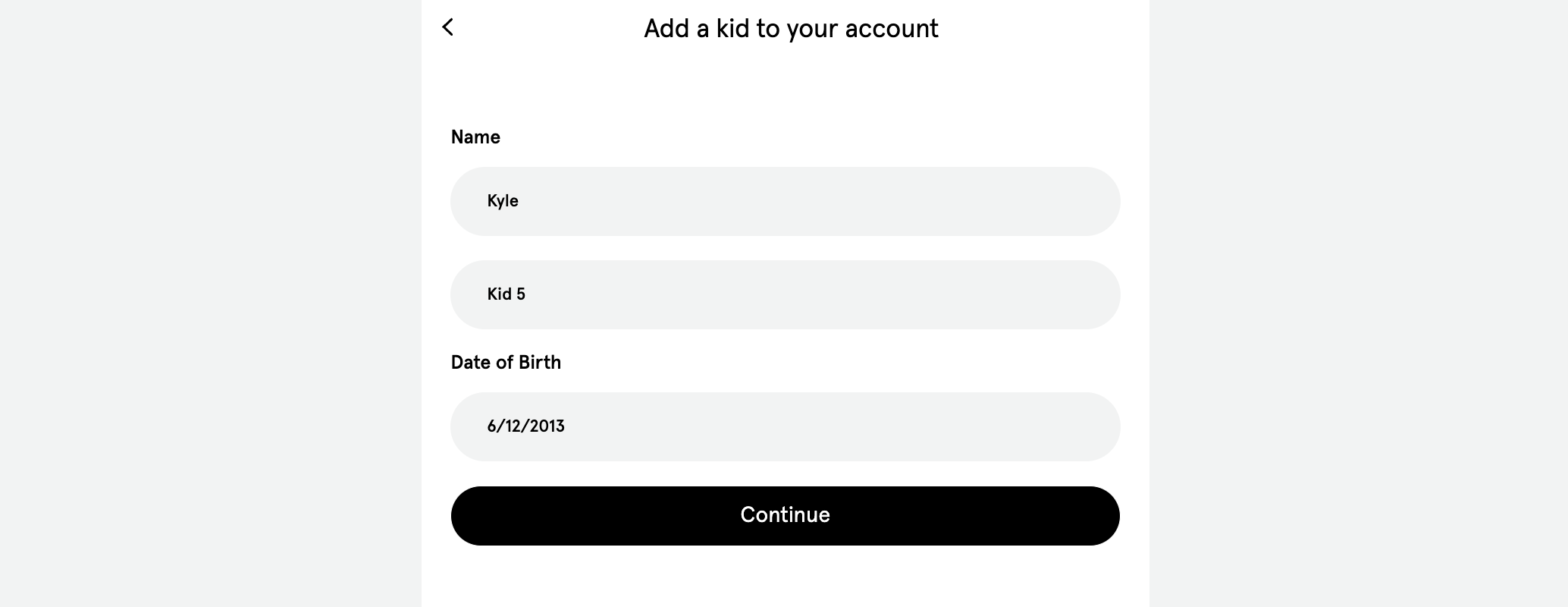
Fill in the child’s name and date of birth
Add any allergies
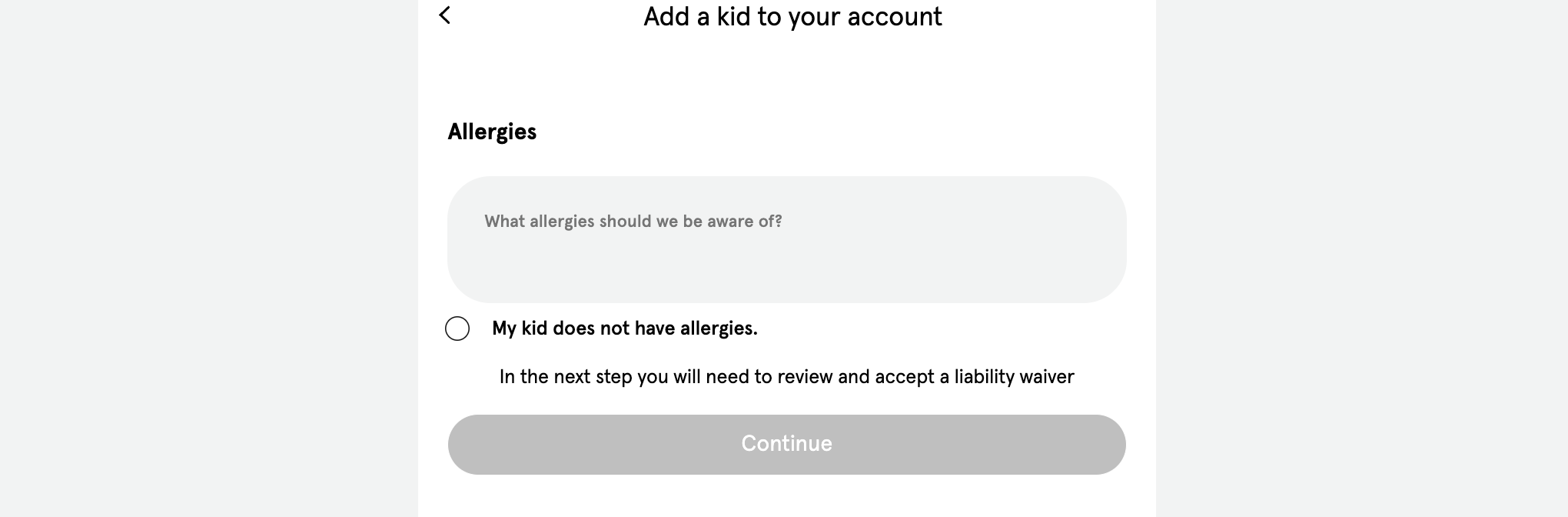
Sign the waiver
Now that this Customer has a Kid sub-Profile attached to their Profile, they can sign their child up for Kids Only Events.
Admin Adds a Kid sub-Profile
Admins also have the ability to add a child to a Customer’s Profile. For an Admin to do so, they would:
Navigate to the Customer’s Profile
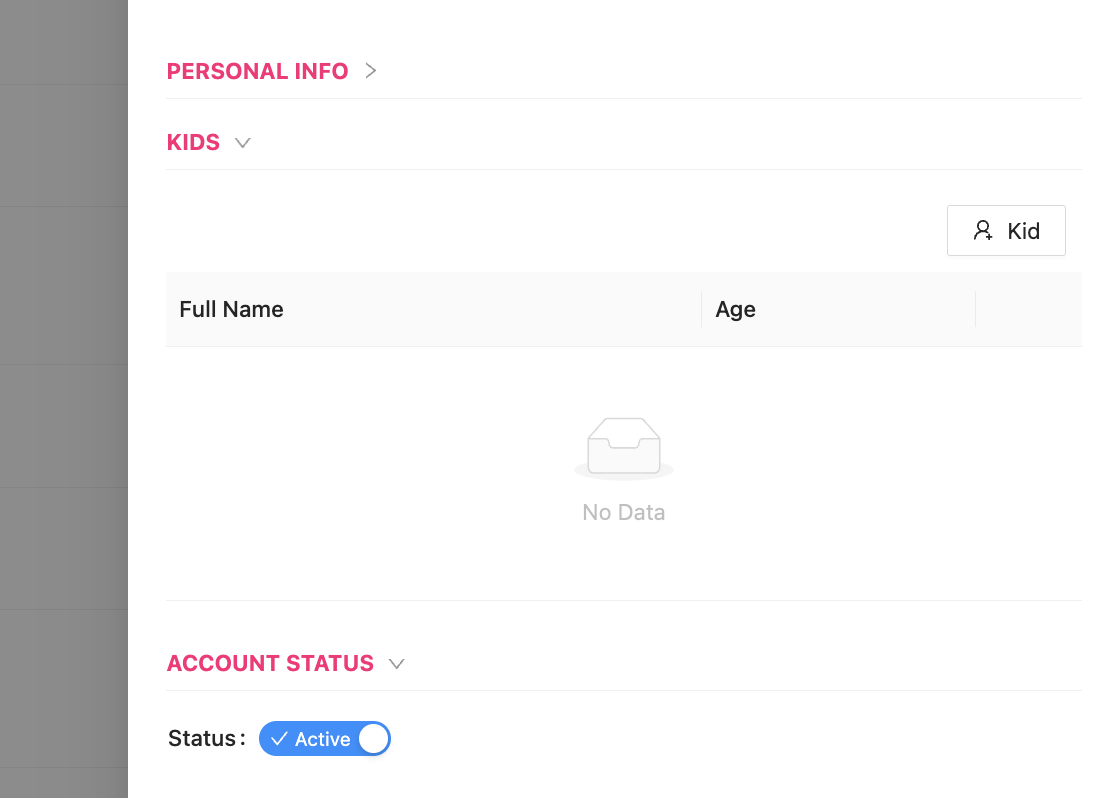
Open on the KIDS drawer
Click on the “Kid” button
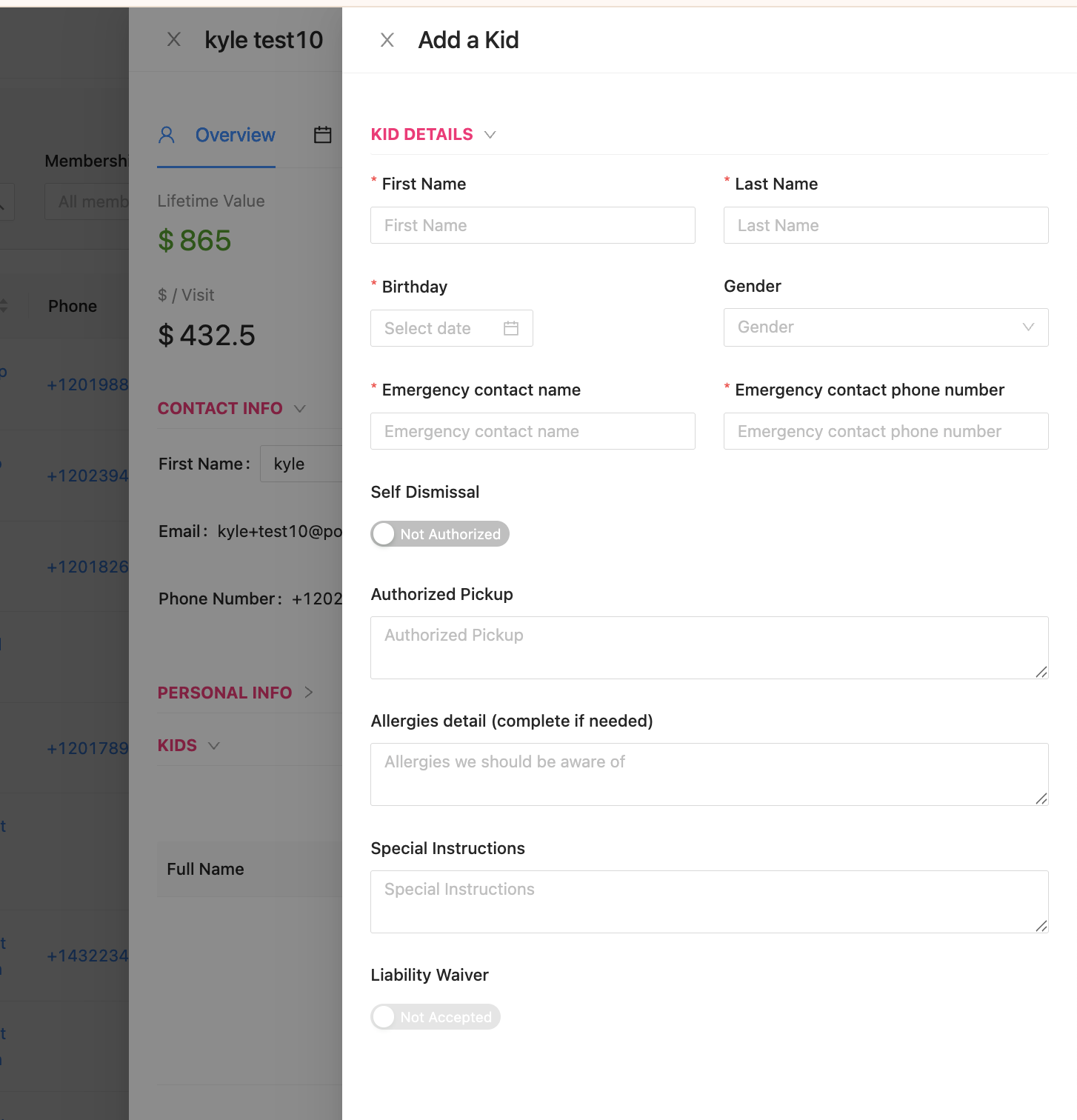
Fill out the new side panel that has appeared
The KIDS drawer is near the top of the Overview tab of the Customer’s Profile
And the side panel for the child’s information is all the same information the Customer would complete for their child.
PLEASE NOTE: today, a Kid sub-Profile cannot join a regular Event, they can only join Kids-Only Events.