
Watermark Ad on Replays
If you want to add a watermark ad to your Replays, there are two places you can add the advertisement:
On the Instant Replays
The watermark logo is visible on the swipe screen animation for 3 seconds before the 10-second Instant Replay is visible on the Monitor next to the court

On the Quick Replays
The watermark logo is always visible, for all time, on the bottom of the 25-second Quick Replay; anywhere this Replay goes (through texts or posted to social media), the watermark logos will remain visible
The watermark logo can either go in the bottom corners of the Quick Replay, or it can go in the bottom center of the Quick Replay
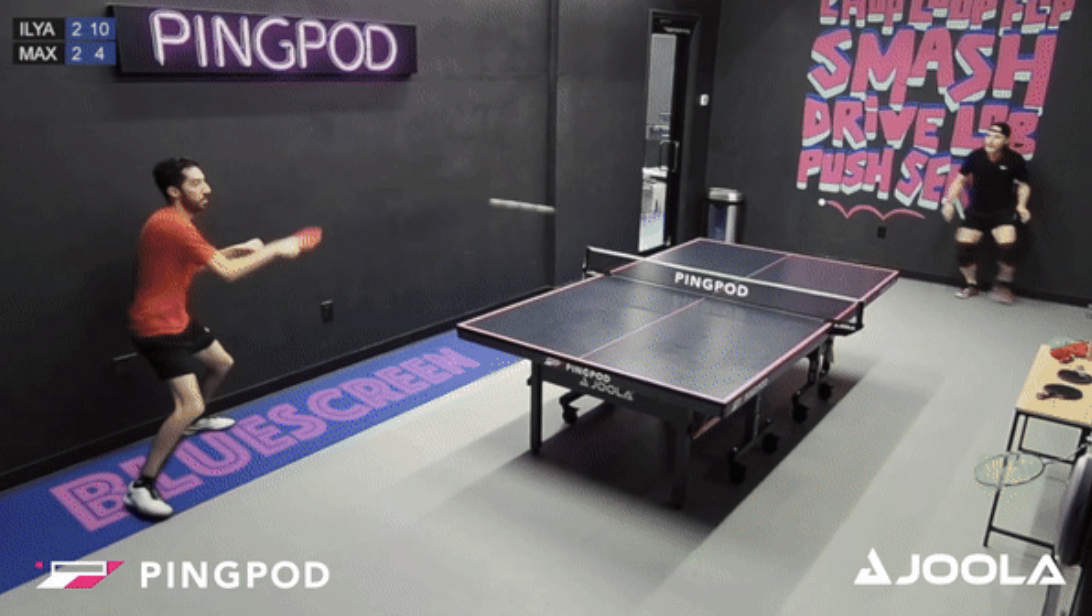
When a watermark logo is added to the:
Quick Replay, this watermark is stationary across your environment. Meaning, the watermark logo will be on ALL Quick Replays generated within your App.
Instant Replay, these can be location based. Meaning, if you have more than one venue where your Customers can visit, we can set a unique watermark logo for the New York City club and a unique watermark logo for the Chicago club.
If you want to add these logos to your Replays, reach out to your PodPlay CSM and share a transparent logo to upload.