
Removing Taxes from a Charge
Edited
During the onboarding process, you are asked how much tax to add and what products or services are taxed at your Club. Should there be a need to remove taxes from a specific charge, an Admin has the ability to do so within the Dashboard.
If you want to learn more about how PodPlay handles taxes, read here.
For an Admin to remove taxes from a charge, they would begin by creating a charge inside an Event or Reservation from the Dashboard. Then:
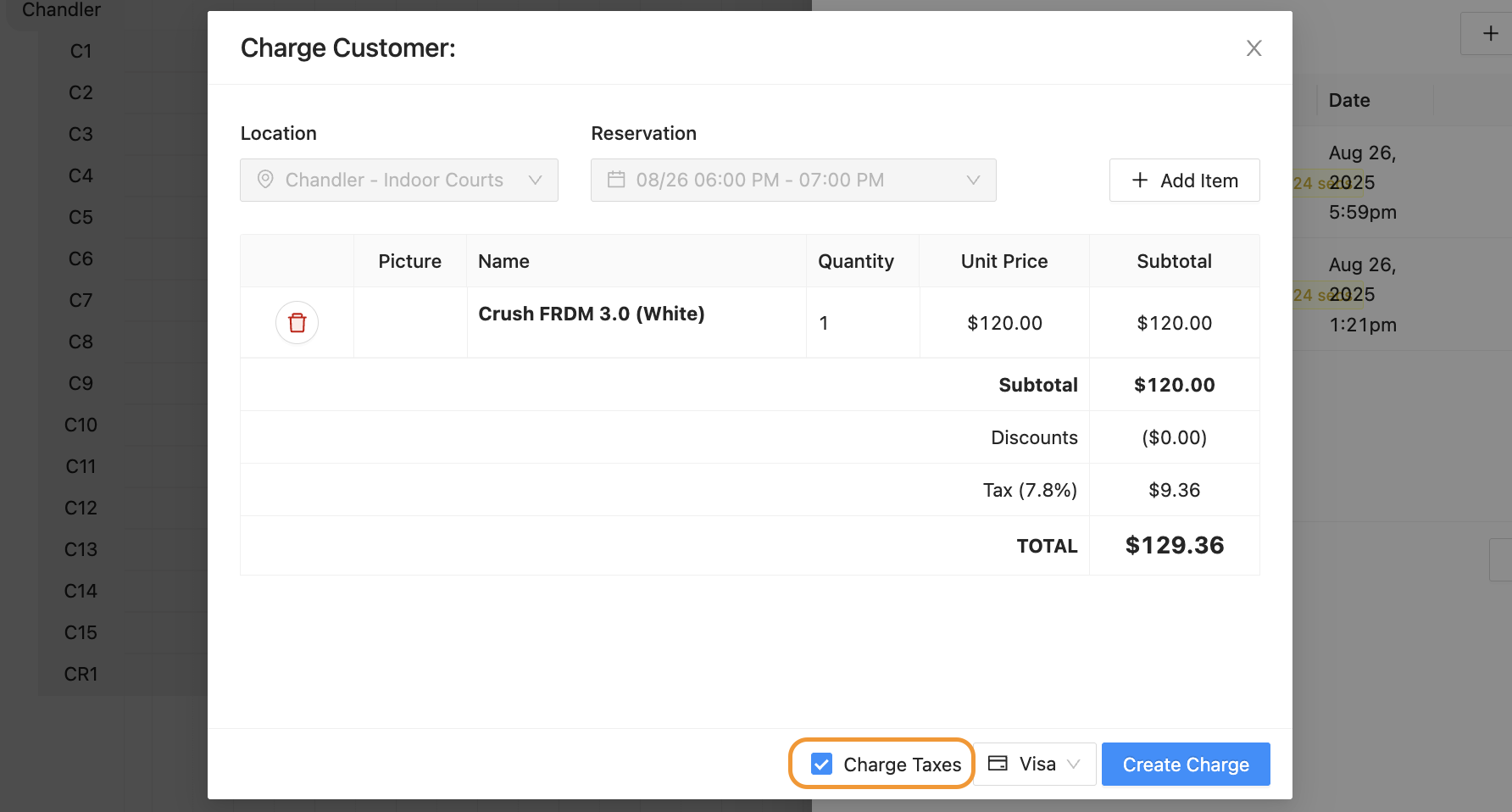
Notice the “Charge Taxes” box is checked ON in the pop-up window
Click the “Charge Taxes” box OFF
Watch the Taxes line item disappear
Once taxes have been removed from a charge, the Admin will complete the charge by clicking on the “Create Charge” button.
Remove Taxes