
Using Credits for a Reservation or Event
A Customer can use Credits to book a Reservation or participate in an Event. The Customer would use their Credits in the same way they would apply a Promo Code.
Credits for a Reservation
The Customer would:
Click on the desired time/day for the Reservation
Click the “Check out →” button at the bottom of the page
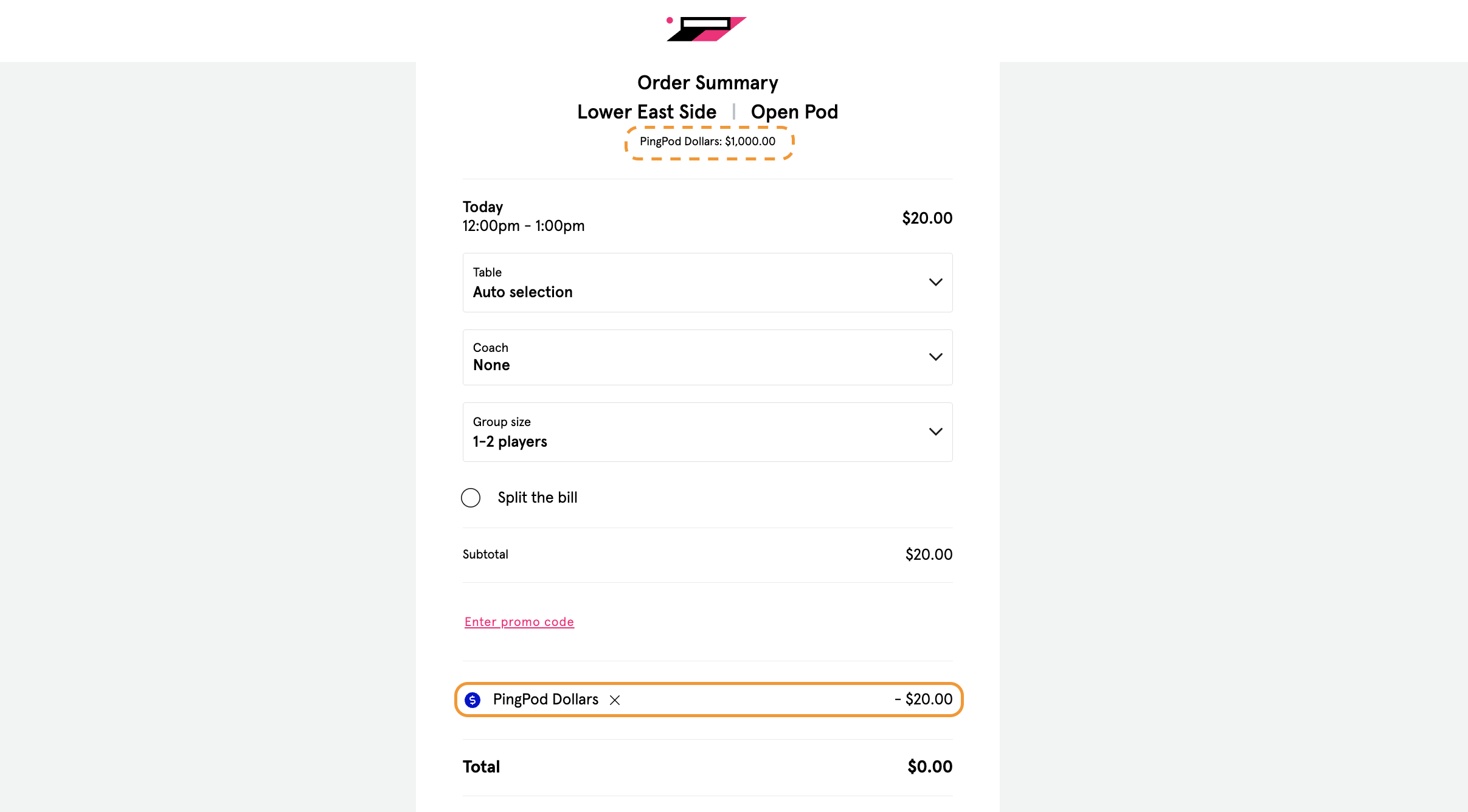
Notice the amount of Credits they have at the top of the page
Notice the Credits are automatically applied to the booking cost
Click the button “Reserve →” at the bottom of the page
Credits for an Event
If a Customer wants to use Credits for an Event, they can:
Click on the desired Event
Click on the “Sign up” button for the Event
Click the “Check out →” button at the bottom of the page
Notice the amount of Credits they have at the top of the page
Notice the Credits are automatically applied to the signup cost
Click the button “Submit payment →” at the bottom of the page
If Credits are not automatically applied, there is a button labeled “Apply Credits” button that once clicked, will automatically apply as many Credits as the Customer has attached to their Profile.
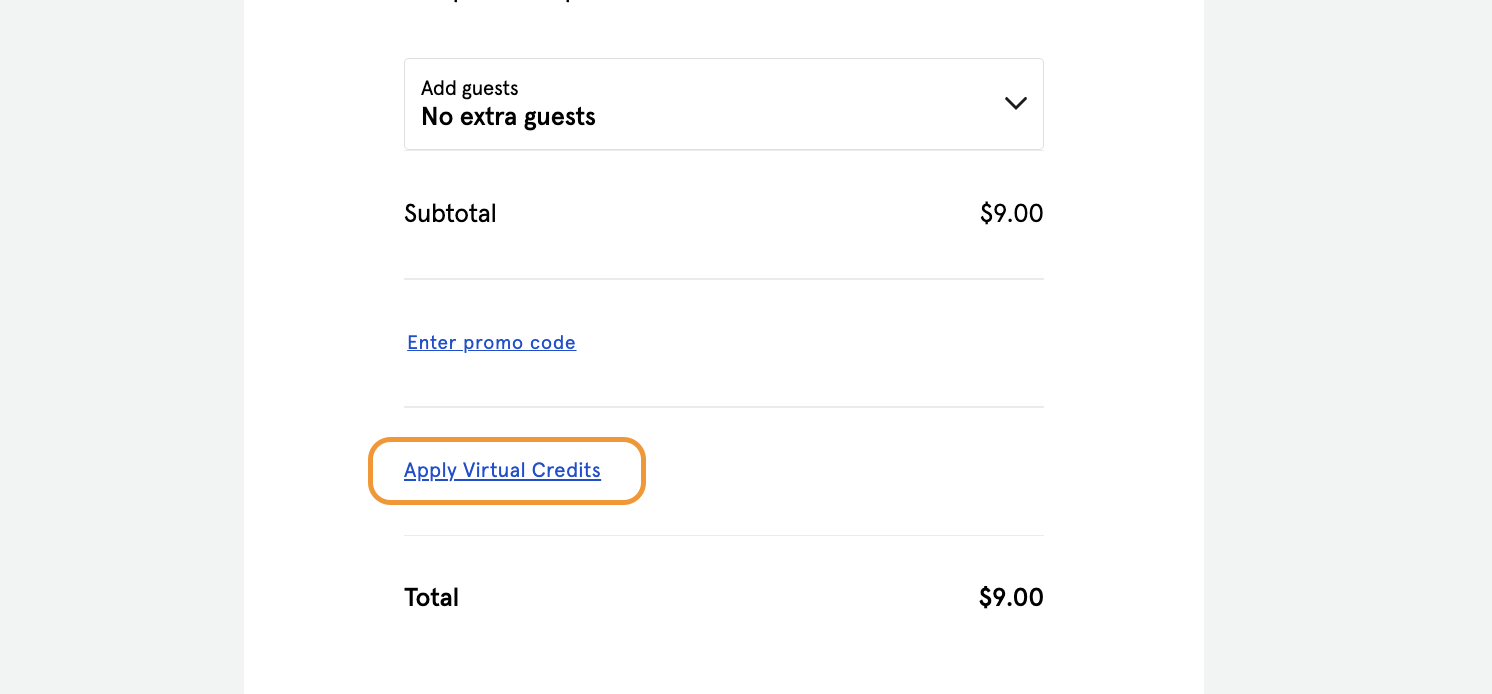
NOTE: “Virtual Credits” can be renamed in your environment to “Credits” or some other naming convention.