Using Credits from the Dashboard
Similarly to how Credits are automatically applied when a Customer books from the App, Credits are automatically applied when an Admin books on behalf of a Customer. An Admin can use a Customer’s available Credits when adding the Customer to an Event or booking a Reservation for them from the Dashboard.
Reservations from the Dashboard
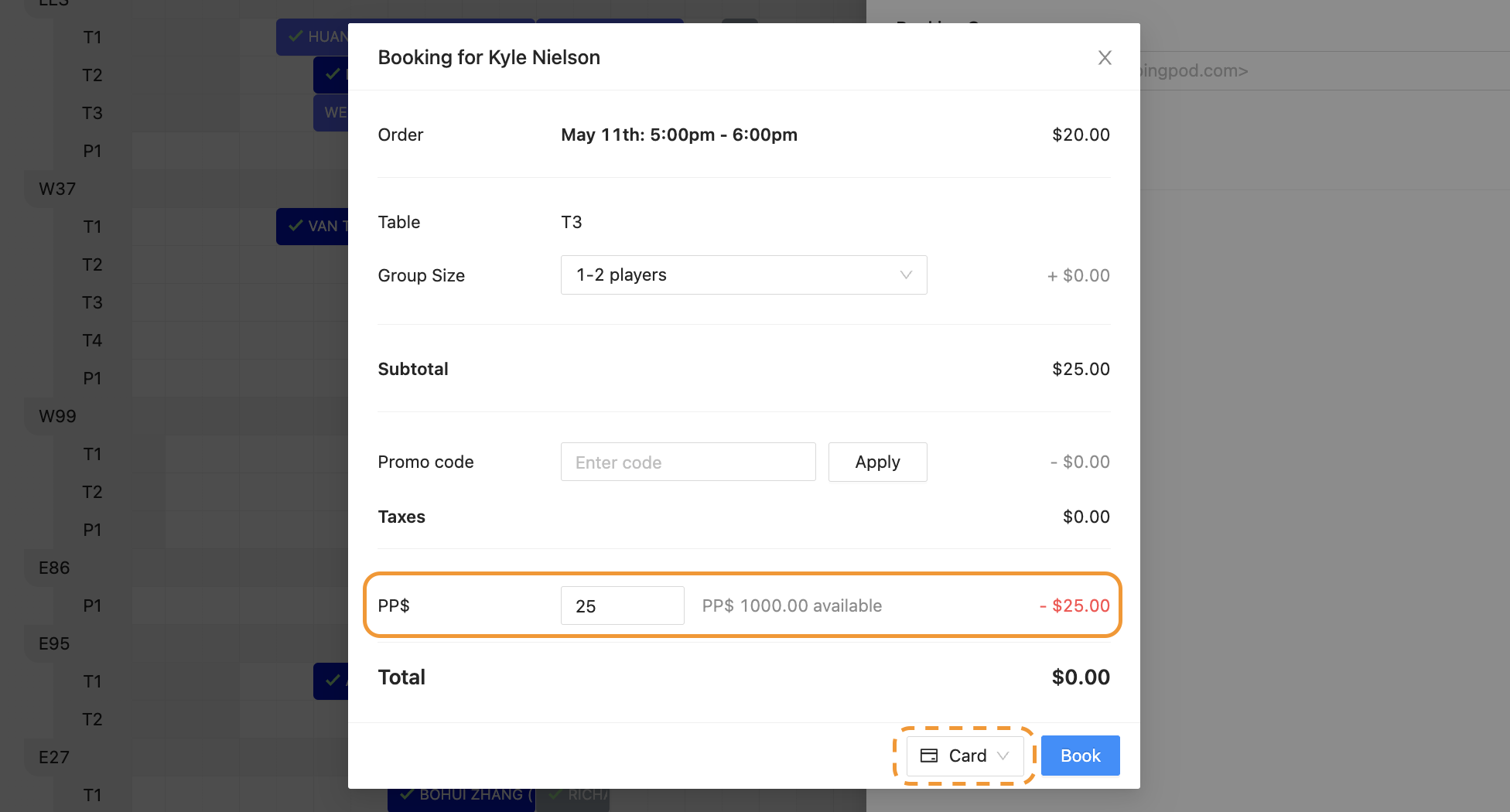
When an Admin books for a Customer from the Dashboard, they will:
Click, drag, and highlight a court in an open space
Type in the Customer’s name in the Booking Owner section
Click the “Go to checkout” button in the bottom right of the side panel
Choose the “Card” option so the Customer is paying for their Reservation
Notice any Credits in the Customer’s Profile are automatically applied
Click on the “Book” button in the bottom right of the pop-up window
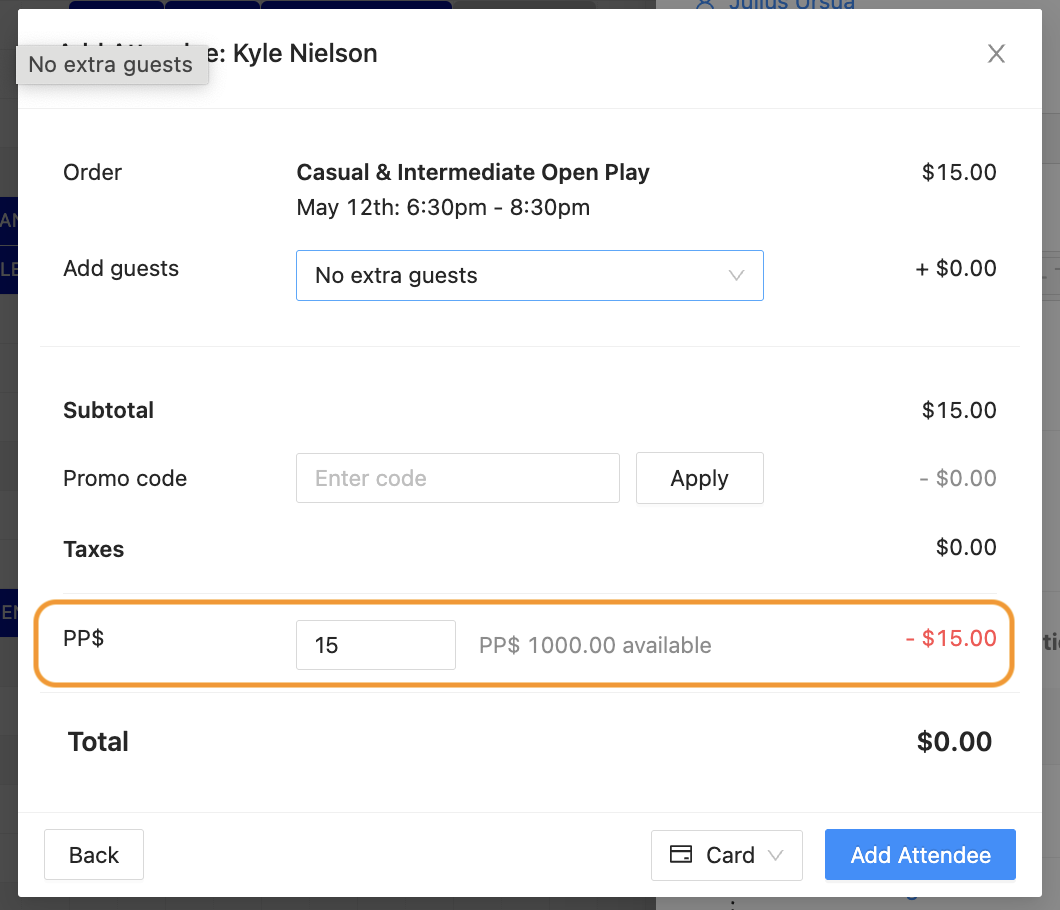
Events from the Dashboard
When an Admin signs up a Customer for an Event from the Dashboard, they will:
Open up a specific Event
Click the “Add” button in the Attendees section of the Overview tab
Type in the Customer’s name in the “Search customers” box
Check off the “+” box next to the Customer’s name
Press the “Go to checkout” button in the bottom right of the pop-up window
Notice any Credits are automatically applied
Click on the “Add Attendee” button in the bottom right of the pop-up window