
Day Pass Fee for Non-members
The Day Pass Fee for Non-members is available on Court+ pricing (Bill Splitting) and is the resolution for the free-ride problem.
NOTE: The Day Pass Fee for Non-members is NOT available for international clubs (outside the USA). The reason for this is because of security protocols on credit cards outside the USA (3DS), which make it harder for ad-hoc charges like the Day Pass Fee.
How the Day Pass Fee for Non-members works:
A Reservation Holder, who is a Member, invites their friends and the friend is a Non-member
Day Pass is charged at Check-in (via QR Code or Unlock Door button for Autonomous venues)
THE BOOKING FLOW
The Customer will see there is a Non-member Fee on the Order Summary page, the last page before completing the booking.
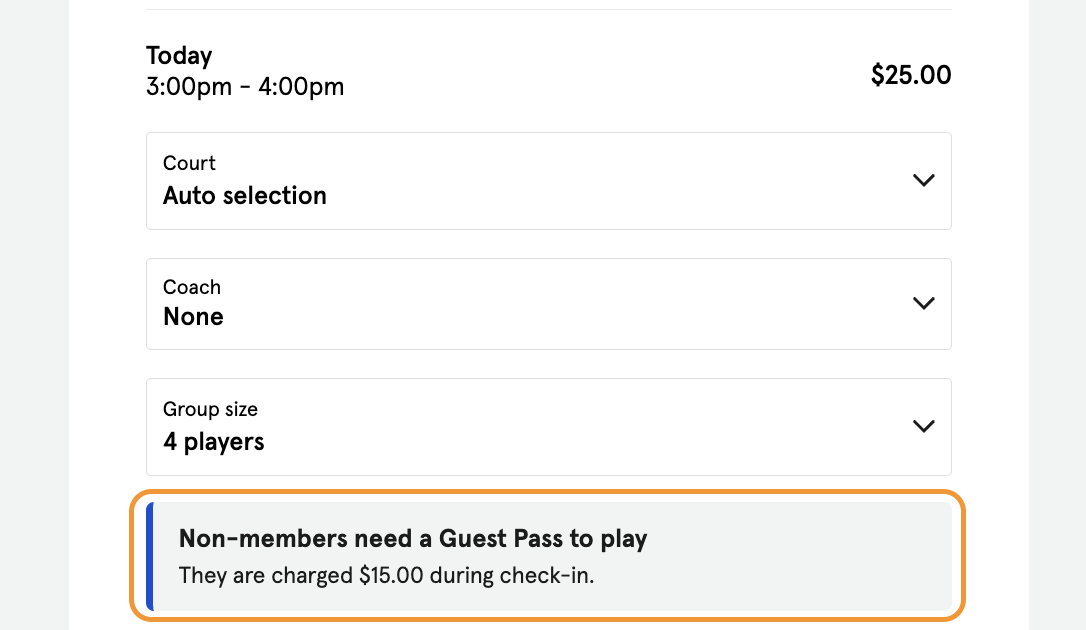
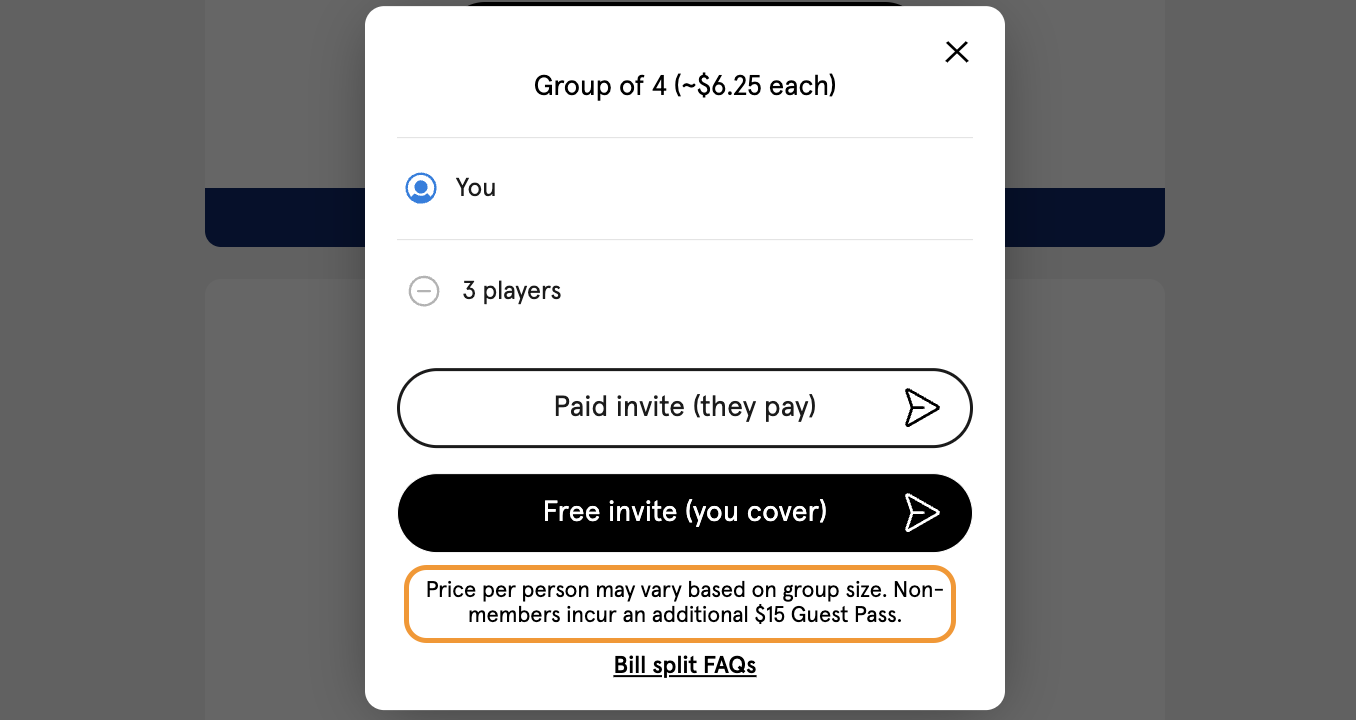
Once the Reservation is booked, the Customer will receive a prompt to invite their friends. The notification about the Non-member incurring the Day Pass Fee is only visible if the Reservation Holder is a Member. Meaning, it will not be visible when the Reservation Holder is a Non-member.
If the Reservation Holder is a Non-member, there is no Day Pass Fee that applies. This is because the Non-member has a higher cost / hour, and splits this cost among the participants of the Reservation. Charging a Non-member Day Pass Fee during a Non-member booked Reservation would increase the amount
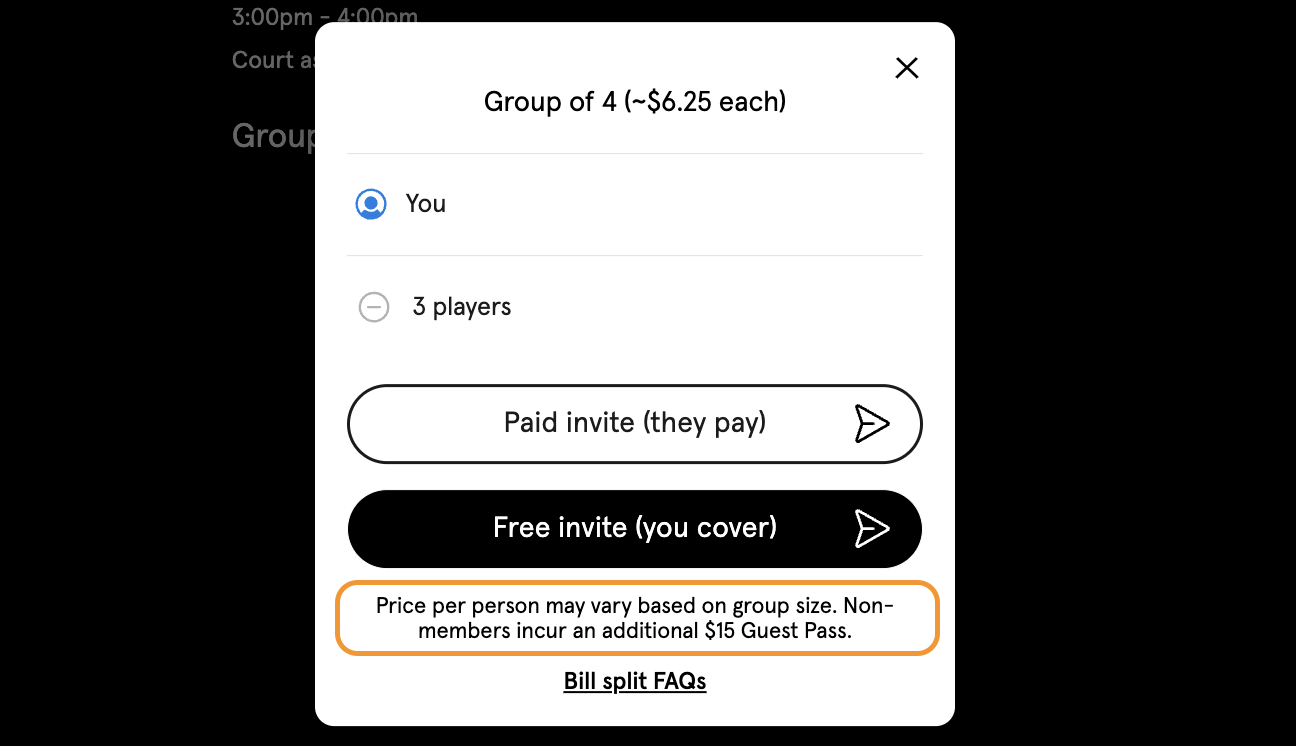
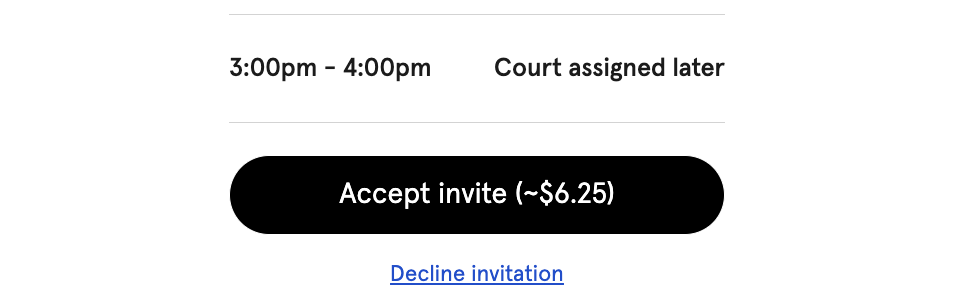
When the friend clicks on the invite, a confirmation will pop-up.
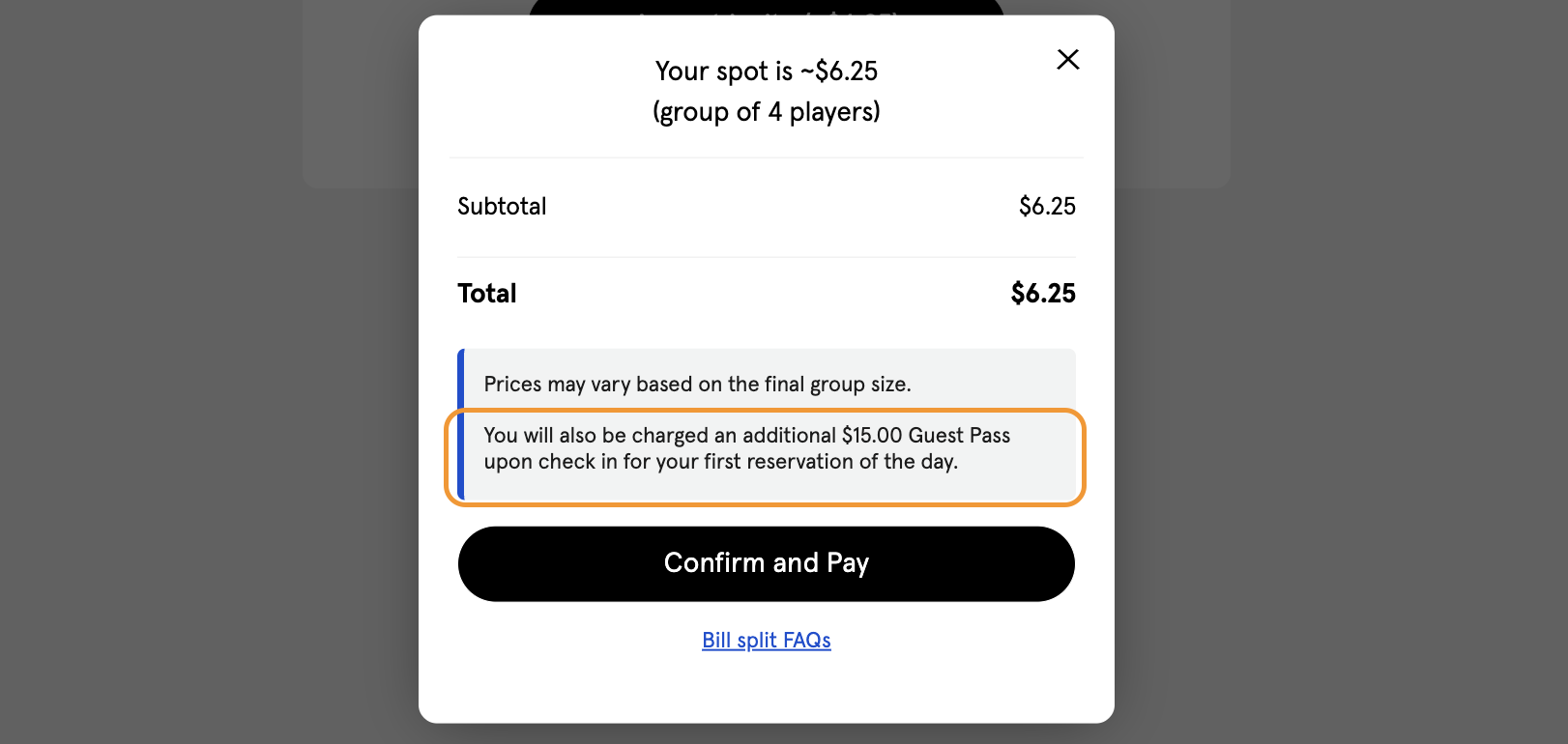
The pop-up will detail the invitee is required to pay the additional Non-member fee.
Once the invite has been accepted, the Reservation Holder can review their invites. In this section there is also mention of the Non-member Fee.
DURING CHECK-IN
Depending on which invite is sent by the Reservation Holder to their friends, the charge of the Non-member Fee is charged to a different Reservation participant during Check-in. The two different invites are:
A “Paid invite (they pay)”
By sending this out, the Reservation Holder is saying their friend will pay for their spot
When the invitee checks-in, the invitee is charged the Non-member Fee
A “Free invite (you cover)”
By sending this out, the Reservation Holder is saying their friend can join for free and the Reservation Holder will cover the cost of their spot
When the Reservation Holder checks-in, the Reservation Holder is charged the Non-member Fee
IMPORTANT NOTE: This means that if your Club is using the Day Pass Fee for Non-members, all Customers in a Reservation should be checked into the Reservation. Admins can review Reservations at a glance in the Overview page of the Dashboard.
If there is a green checkmark on the Reservation, it means that all attendees are checked-in.
If there is no green checkmark on the Reservation, the Admin can open the Reservation and click on the Check-in toggles for all attendees.