
How does a Coach set up their profile?
When an Admin has give the Coach profile to a Customer, the Customer will see a new button in their Account tab of the App. This is where they can set up and edit their Coach profile. Ask the Coach to
Navigate to their Account tab
Click on the Coach dashboard button
You’ll notice the Coach is now in the Admin Dashboard of PodPlay
They will only be able to see the Coach tab of the Admin Dashboard, like so
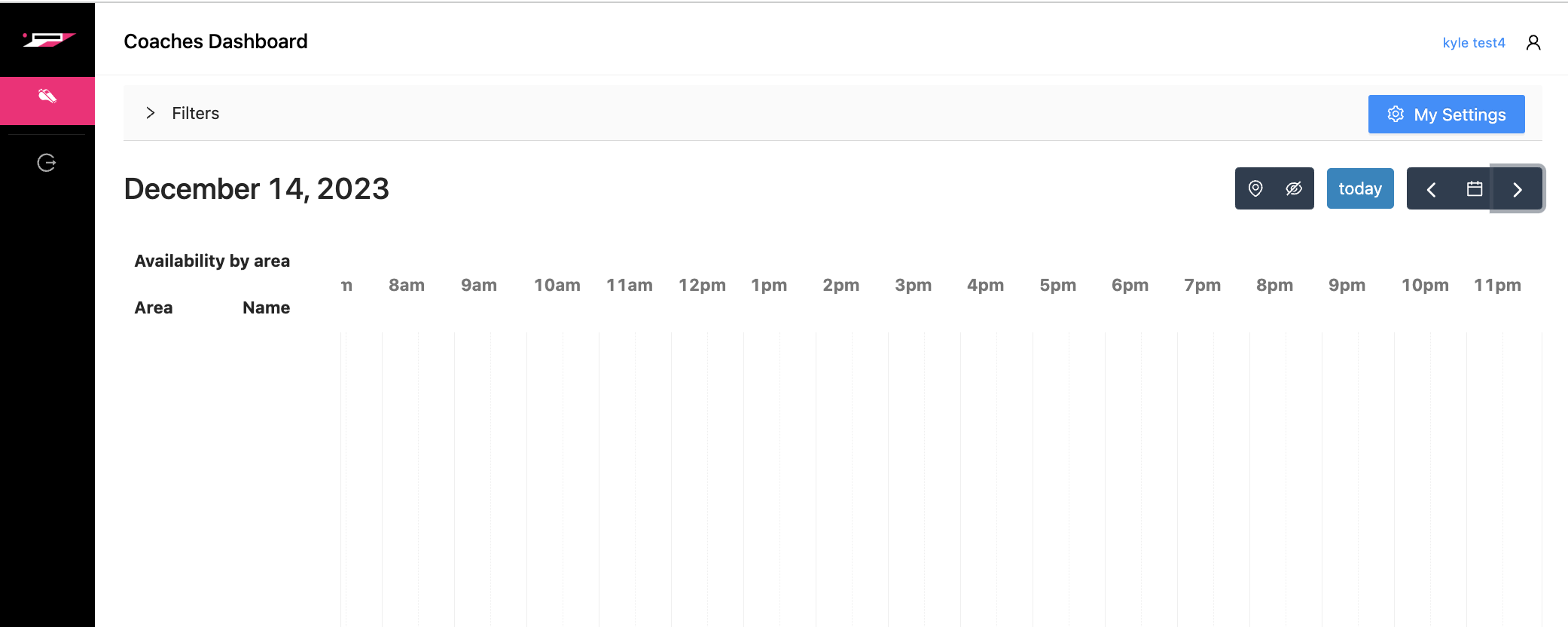
Then,
Click on the blue button on the top right that says My Settings
Here, the Coach will be able to set their Availability and Settings
On the Availability page, a Coach can
Choose their locations
Highlight days and times they are available
On the Settings page, a Coach can
Complete their Coaching Details
Set their Coaching Rate
Set desired Locations of work
Compile a Student List, if necessary
Set a Switch Cushion
Set a Notice Cushion
Complete their Payments profile to receive income
Without completing this, the Coach will not be paid for their work at the Club