
How do Replays work during an Event?
For Reservations, all Quick Replays will be charged to the Reservation Holder, and the same applies for an Event
The difference is that the Reservation Holder for an Event is the Admin who books the Event
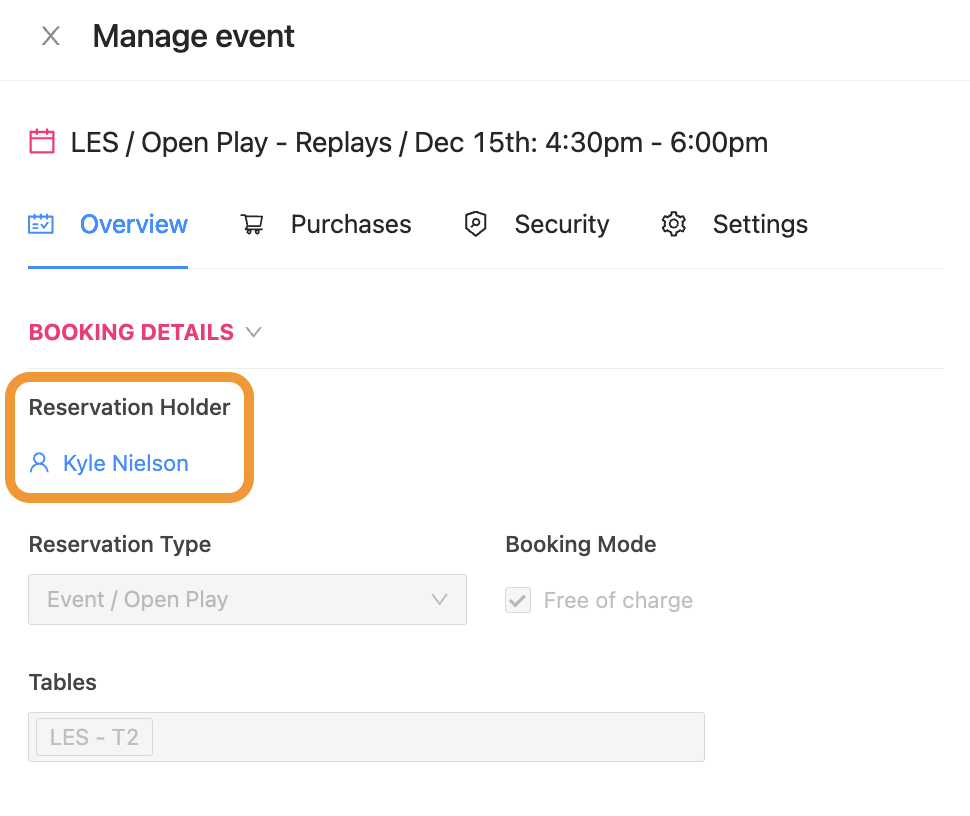
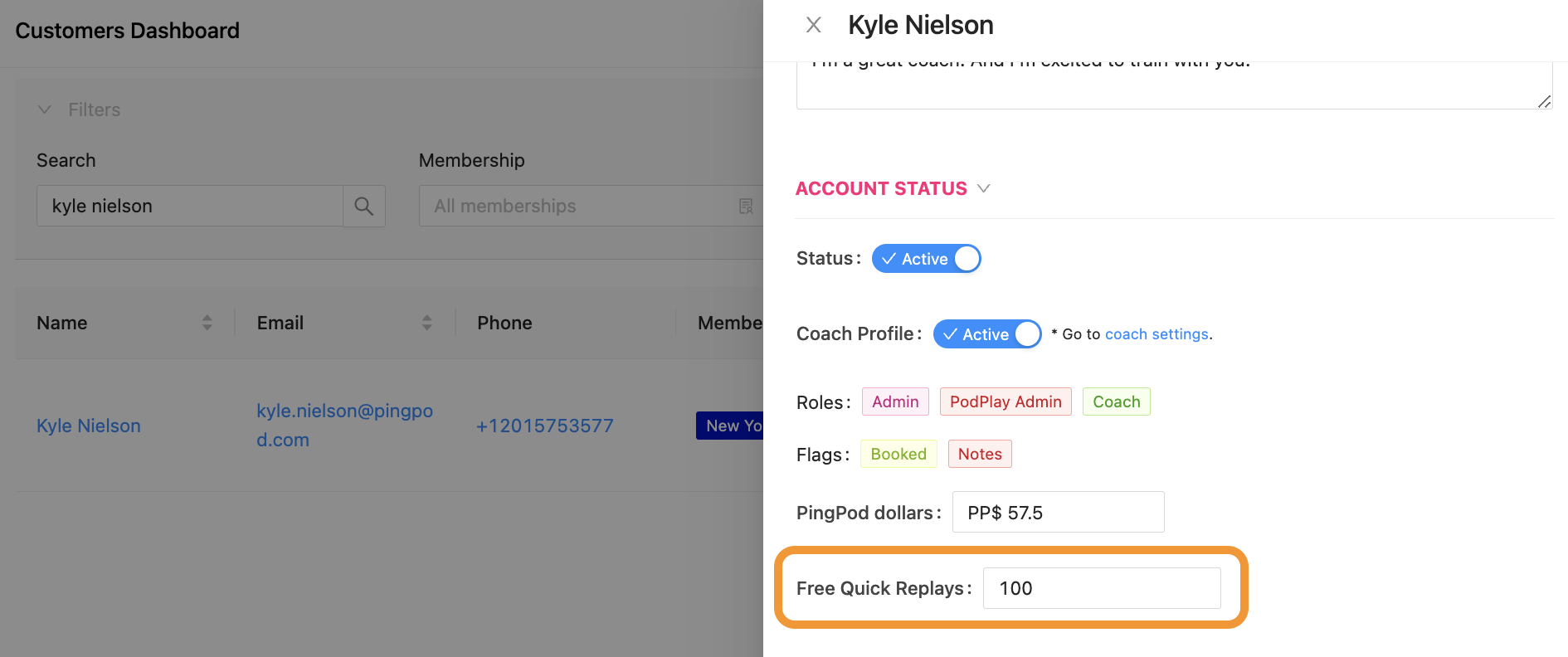
To have Quick Replays functional during an Event, and to Ensure your Staff is not charged for Replays, the Reservation Holder must have a large quantity of Replays in their Profile, or else they will be charged per Replay
You can update the quantity of the Free Quick Replays inside of the Profile of the Reservation Holder from the Customer tab in the Admin Dashboard.
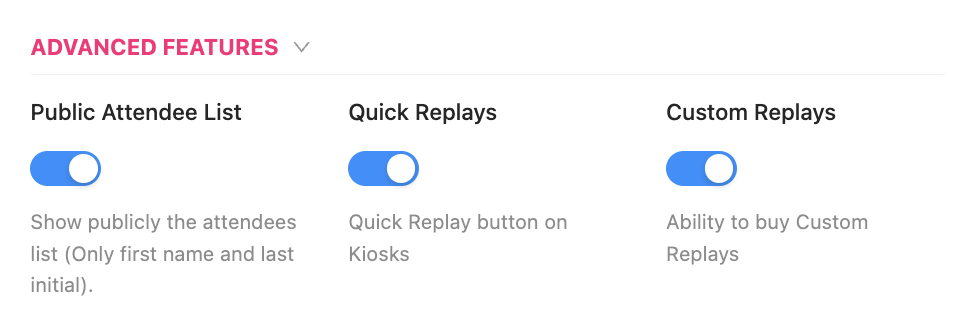
If you do not want Replays to be available during an Event, an Admin can edit the Event to disable the Replay functionality. To do this,
Scroll down to the Advanced Features in the Event Settings
Toggle off the Quick Replays and Custom Replays toggles
Replays during any Event function in the same way as during a Reservation:
If there Quick Replays are captured during an Event, at the end of the Event, every Customer attending the Event as a participant will receive an email, with all of the captured Quick Replays during the Event inside the email
And all Replays will be visible inside the Customer’s Reservation tab in the App.
To learn more, read about How to Review Replays